How to Set Up a Standing Desk in a Small Room for Short People: Ergonomic, Space‑Saving Tips
Introduction
One of the most effective ways to improve posture and increase productivity is to use a standing desk, even when the workspace is limited. This guide explains how a short‑statured individual can configure a compact standing desk without sacrificing comfort or functionality. It covers assessment of the room, selection of appropriate equipment, assembly procedures, and ergonomic adjustments. By following these steps, the reader will create a healthy workstation that fits neatly into a small living area.
What You’ll Need
- Standing desk suitable for limited floor space (see product recommendations below)
- Monitor riser or adjustable monitor arm
- Cable management accessories such as clips or sleeves
- Ergonomic keyboard and mouse
- Basic tools: screwdriver, drill with small bit, and a level
Step 1: Measure the Room and Define the Desk Footprint
Begin by measuring the length, width, and height of the room, noting any obstacles such as doors, windows, or built‑in furniture. Record the maximum width and depth that the desk may occupy while still allowing comfortable movement around the space. For short users, a desk height range that starts below 30 inches is essential to enable a seated position without excessive bending. This measurement stage informs the selection of a desk that will not dominate the room.
When the dimensions are known, compare them with the specifications of the recommended desks. The FLEXISPOT EN1 Electric Standing Desk offers a 48" x 24" surface that fits most small rooms while providing a height range of 28.9"–46.5". Its compact footprint and electric lift mechanism make it ideal for users who need precise height control without manual effort.
Alternatively, the Cidaziya Adjustable Desk with Wheels measures 31.9" x 15.7", allowing it to slide under a couch or be moved to a different corner as needed. Its rolling casters are particularly useful in a room where flexibility is required.
Record the chosen desk dimensions on a sketch of the room to visualize clearance for chairs, monitors, and walking paths. This preparation prevents later conflicts and ensures a smooth assembly process.
Step 2: Choose the Desk Size and Height Range That Matches Your Stature
Short individuals typically require a seated desk height of 22"–24" and a standing height of 38"–42" to maintain neutral wrist and elbow angles. The FLEXISPOT EN1 Electric Desk 40x24 provides a 40" x 24" tabletop with an electric range of 28.1"–45.7", offering fine‑tuned adjustments that accommodate both sitting and standing positions.
For users who need an even smaller footprint, the JOY worker Electric Desk measures 35" x 25" and includes three preset heights, allowing quick transitions between preferred positions. Its built‑in monitor stand raises the screen to eye level without requiring an additional arm.
Consider the weight capacity of each desk; all four models support up to 176 lbs, which is sufficient for dual monitors, a laptop, and peripheral devices. Selecting a desk that meets both size and height requirements ensures ergonomic alignment and prevents strain.
Finally, verify that the desk’s surface area can accommodate the essential work tools while leaving room for a small lamp or plant, which can improve mood and air quality.
Step 3: Assemble the Desk According to the Manufacturer’s Instructions
Unpack all components and lay them on a clean floor surface, checking that each part matches the parts list. Use a screwdriver or a hand drill with a small bit to create the two pilot holes required for the crossbar, as described in the FLEXISPOT EN1 assembly guide. The instructions emphasize aligning pre‑drilled holes before inserting screws, a technique that reduces misalignment and eliminates the need for re‑drilling.
During assembly, follow the recommended sequence: first attach the legs to the frame, then secure the tabletop, and finally connect the electric motor and control panel. The FLEXISPOT EN1 Electric Standing Desk is praised for its quick setup, with most users completing it in under an hour.
If the chosen desk includes wheels, such as the Cidaziya model, lock the casters after placement to prevent unintended movement. Ensure the desk sits level by using a bubble level; an uneven base can cause wobbling at higher heights.
After the mechanical assembly, connect the power cord to a nearby outlet and test each preset height. The motor should operate quietly, typically below 50 dB, which is important for shared spaces where noise may be disruptive.
Step 4: Optimize Monitor Height and Viewing Distance
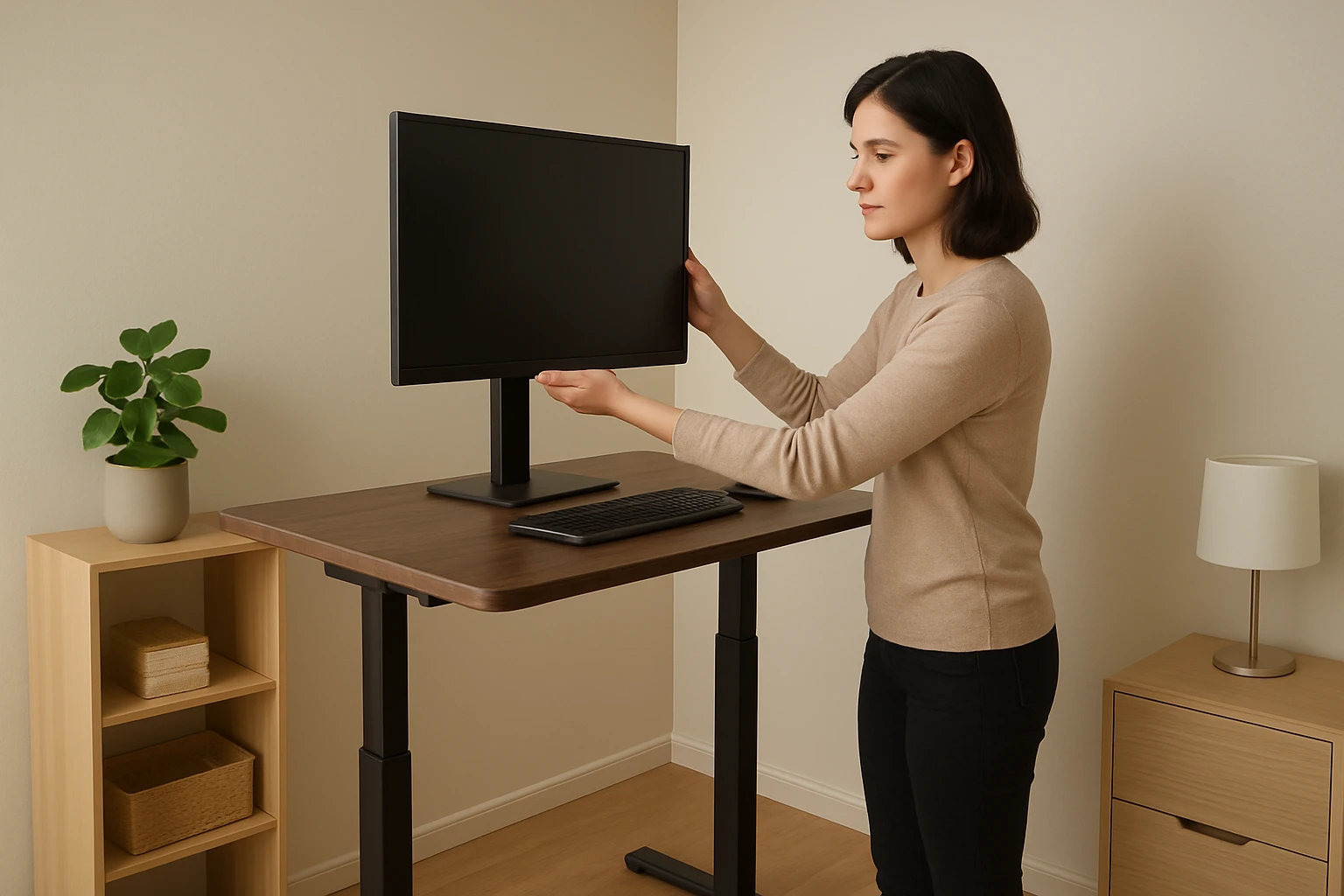
Position the monitor so that the top of the screen is at or slightly below eye level, and the screen is about an arm’s length away. For short users, a monitor riser or an adjustable arm can raise the display without requiring the desk to be set at an excessively high standing height. The built‑in monitor stand on the JOY worker Electric Desk provides a convenient solution, eliminating the need for an external arm.
When using dual monitors, align the inner edges so that the primary screen is directly in front of the user, reducing neck rotation. The spacious surface of the FLEXISPOT EN1 models accommodates two monitors side by side while still leaving space for a keyboard and mouse.
Adjust the monitor tilt to a comfortable angle, typically between 10° and 20°, to reduce glare and maintain a neutral head posture. Use the desk’s height presets to fine‑tune the viewing height after the monitor is positioned.
Finally, verify that the eyes are level with the top third of the screen; this visual rule helps prevent forward head posture and associated neck strain.
Step 5: Implement Cable Management for a Clean Work Surface
Run all power and data cables through the built‑in cable management hole found on most electric desks, such as the JOY worker Electric Desk. Use zip ties or Velcro straps to bundle excess length, keeping cords tidy and preventing accidental tripping.
Attach cable clips to the underside of the tabletop to secure charger cables, mouse wires, and headphone cords. This practice not only improves aesthetics but also reduces the risk of pulling on the desk’s frame when adjusting height.
If the desk includes a drawer, store larger power strips inside to keep them out of sight while still providing easy access. The Cidaziya desk’s fabric drawer is a convenient location for such accessories.
Periodically inspect the cable routes for wear, especially if the desk is moved frequently, and replace any damaged sleeves to maintain safety.
Step 6: Add Storage Solutions Without Compromising Space
In a small room, vertical storage is more effective than horizontal expansion. The Cidaziya Adjustable Desk with Wheels includes a fabric drawer that fits beneath the work surface, providing a discreet place for pens, notepads, and a small notebook.
For additional organization, consider wall‑mounted shelves or a pegboard above the desk. These options keep essential items within reach while preserving floor space for movement.
If a filing cabinet is required, select a slim, tall model that can be positioned against a wall. Ensure the cabinet’s height does not exceed the standing height of the desk, allowing the user to retrieve files without bending.
Finally, keep the desktop surface clear of clutter; a minimalist workspace encourages focus and reduces the likelihood of accidental spills on electronic components.
Step 7: Test the Ergonomic Setup and Make Fine Adjustments
After the desk is assembled and accessories are in place, spend a full workday using both sitting and standing positions. Observe the alignment of the wrists, elbows, and shoulders; they should form roughly 90‑degree angles when typing.
Adjust the chair height so that the thighs are parallel to the floor while the feet rest flat on the ground. If the chair does not provide adequate support, add a lumbar cushion to maintain the natural curve of the spine.
Use the desk’s memory presets to switch quickly between preferred heights. The FLEXISPOT EN1 models feature four programmable positions, allowing the user to set a seated height, a standing height, and two intermediate positions for tasks such as reading or using a treadmill desk.
Record any discomfort and modify the setup accordingly, whether by raising the monitor, lowering the desk, or repositioning the keyboard. Continuous refinement ensures long‑term comfort and productivity.
Tips & Pro Tips
- Place a non‑slip mat under the desk’s legs to prevent movement on smooth flooring.
- Use a footrest when seated to keep knees at a 90‑degree angle and reduce pressure on the lower back.
- Schedule regular micro‑breaks; stand for five minutes every hour to promote circulation.
- If the desk height exceeds the user’s reach for the control panel, use an extension cable or relocate the panel to a more accessible spot.
- Consider a monitor arm with a gas spring for effortless height adjustments without altering the desk’s preset.
Troubleshooting
Desk wobbles at maximum height: Ensure the legs are fully extended and locked; add a stabilizing brace if the model includes optional accessories.
Motor makes unusual noise: Verify that the load does not exceed the 176 lb capacity and that the desk is level; re‑tighten any loose screws.
Control panel does not respond: Unplug the desk, wait ten seconds, and reconnect; if the issue persists, contact the manufacturer’s support line.
Cables become tangled after moving the desk: Re‑route cables through the built‑in management hole and secure them with zip ties before relocation.
Conclusion
Setting up a standing desk in a small room for a short person is achievable by carefully measuring the space, selecting a compact yet adjustable desk, and following systematic assembly steps. By applying ergonomic principles such as proper monitor height, cable management, and appropriate storage, the user creates a healthy workstation that maximizes limited square footage. The recommended products—FLEXISPOT EN1 Electric Standing Desk, Cidaziya Adjustable Desk with Wheels, FLEXISPOT EN1 Electric Desk 40x24, and JOY worker Electric Desk—offer reliable solutions that cater to diverse space constraints and budget considerations. With diligent testing and fine‑tuning, the reader can enjoy the benefits of a dynamic work environment without compromising comfort or style.
Products Mentioned in This Guide
Frequently Asked Questions
How do I determine the optimal desk footprint for a small room?
Measure the room’s length, width, and clearance around doors or furniture, then choose a desk that leaves at least 24‑30 inches of walking space.
What kind of standing desk works best for short people in tight spaces?
A compact, height‑adjustable desk with a slim frame or a wall‑mounted sit‑stand converter maximizes floor space and allows precise height settings.
How should I set my monitor height for a short stature at a standing desk?
Raise the monitor so the top edge is at or slightly below eye level, using a riser or adjustable arm to keep the screen 20‑30 inches away.
Which cable‑management tools are most effective in a cramped setup?
Use adhesive clips, Velcro sleeves, or a small under‑desk tray to bundle cords and keep them out of the way.
How can I stay ergonomic while standing in a limited‑space workstation?
Keep elbows at 90°, wrists neutral, and shift weight or use an anti‑fatigue mat to reduce strain during long periods.