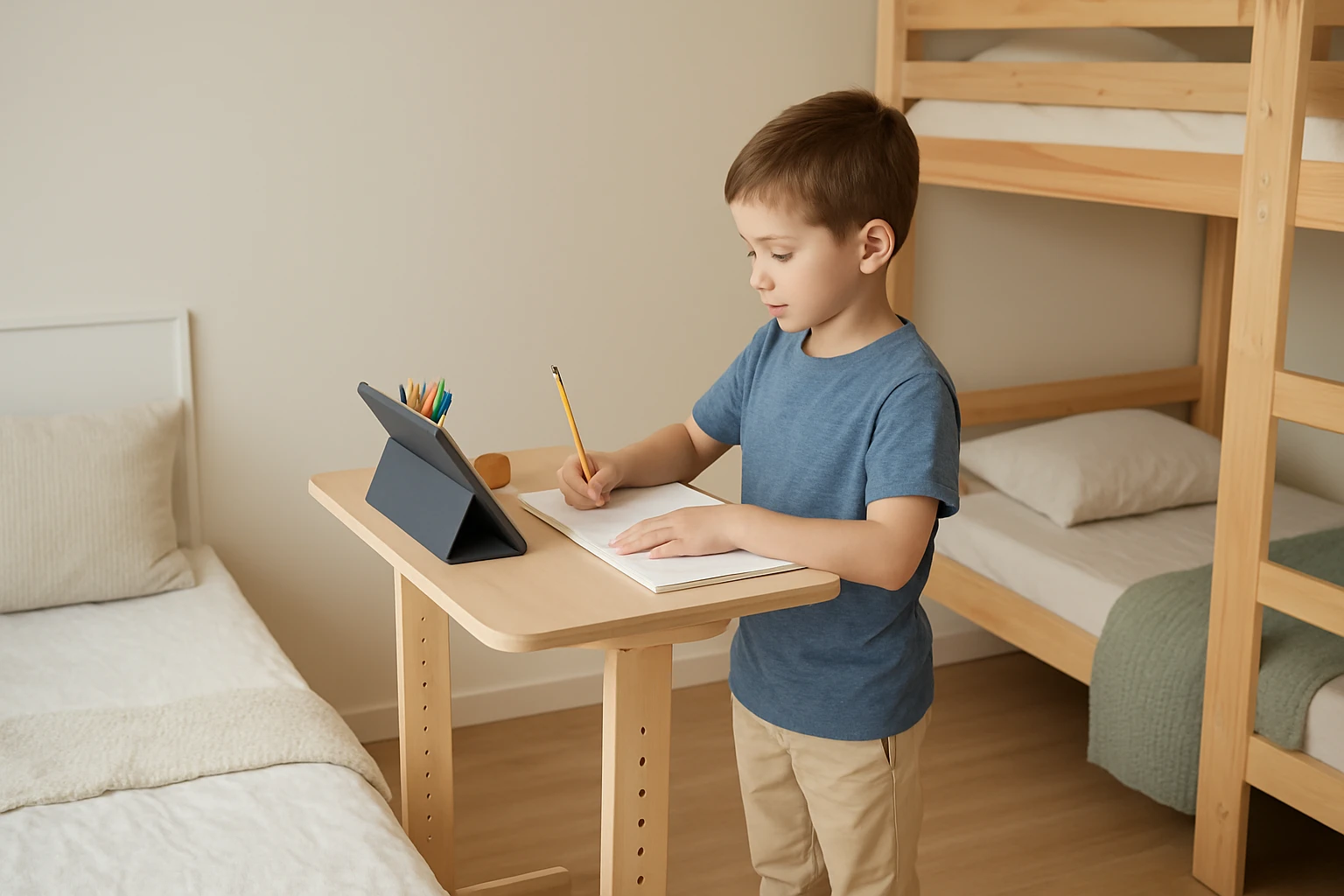
How to Set Up a Child‑Friendly Standing Desk in Small Shared Rooms: Space‑Saving & Safety Tips
Introduction
Parents and educators often seek flexible workstations that promote movement while fitting into limited areas. This guide explains how to transform a compact bedroom or shared study space into an ergonomic zone for children. Readers will learn to evaluate room dimensions, select appropriate equipment, and implement safety measures that protect young users. By following these instructions, one can create a functional, child‑friendly standing desk without sacrificing valuable floor space.
The benefits of a standing desk extend beyond posture improvement; they encourage active learning and reduce sedentary habits. For children with attention‑deficit concerns, the ability to shift between sitting and standing can enhance focus and energy regulation. Moreover, a well‑planned setup can coexist with other furniture, preserving the room’s aesthetic and functionality. The following sections break down each phase of the installation process.
What You’ll Need
- Measuring tape or laser measurer
- Level and pencil for marking
- Phillips screwdriver (often included with desk kits)
- Non‑slip floor mat or rug
- Cable management clips or sleeves
- Optional: child‑safety edge protectors
These tools are sufficient for most standing‑desk assemblies, and many are already present in a typical home workshop. The only product that requires purchase is the desk itself, which is addressed in the next step.
Step 1: Assess the Available Space
Begin by measuring the length, width, and height of the intended area. Record the dimensions in centimeters or inches, ensuring you account for door swings and existing furniture footprints. For a shared bedroom, a clearance of at least 30 cm (12 in) behind the desk allows a child to move comfortably.
Next, sketch a simple floor plan on paper or using a free online tool. Mark the location of windows, power outlets, and any built‑in storage. This visual aid helps you determine the optimal orientation for the desk, whether parallel to a wall or positioned in a corner.
Consider the height range required for the child. Most elementary‑age children sit comfortably with a desk height of 22‑24 in, while standing height should reach around 36‑38 in. Selecting a desk with adjustable range beyond these values provides flexibility as the child grows.
Finally, verify that the chosen spot permits adequate lighting, either natural or via a desk lamp, to reduce eye strain during study sessions.
Step 2: Choose the Right Desk
For compact rooms, a narrow yet height‑adjustable workstation is essential. The KLUVIS White Electric Standing Desk meets these criteria with a footprint of 31.5 in × 23.6 in, making it ideal for small shared spaces.
This desk offers an electric motor that smoothly transitions between 28.3 in and 45.7 in, covering both sitting and standing positions for children and adults alike. The low‑noise operation (under 50 dB) ensures that study time remains undisturbed, a crucial factor in shared bedrooms where multiple activities occur simultaneously.
Three height‑memory buttons allow quick recall of preferred settings, reducing the effort required for children to adjust the desk independently. The built‑in cable management tray, dual hooks, and side storage bag keep accessories organized and out of reach of curious hands.
Priced at $98.99 with a 4.6‑star rating from 30 reviews, the desk delivers strong value for families seeking a reliable, space‑saving solution. Its modern ergonomic design, featuring rounded edges and a scratch‑resistant particle‑board surface, minimizes the risk of accidental bumps and surface damage.
Step 3: Prepare Safety Features
Before assembly, install a non‑slip mat beneath the desk to prevent movement on smooth flooring. This simple addition stabilizes the workstation, especially when the motor is engaged.
Attach edge protectors to the desk’s corners if the child is prone to running into furniture. Although the KLUVIS desk already incorporates curved ergonomic edges, supplemental padding offers extra reassurance during active play.
Secure all cables using clips or sleeves, routing them through the desk’s built‑in management system. Keeping cords out of the walking path reduces tripping hazards and protects the electronics from accidental pulls.
Position the desk away from windows to avoid glare, and ensure that any power cords are plugged into a surge‑protected outlet placed out of reach of small hands.
Step 4: Assemble the Desk
Follow the detailed instruction manual included with the KLUVIS desk; all necessary tools are provided, eliminating the need for additional equipment. Begin by laying out all components on a clean surface, verifying that each part matches the diagram.
Attach the legs to the tabletop using the supplied bolts, tightening them with the provided screwdriver. Ensure the legs are fully seated before proceeding to the motor housing.
Connect the power cable to the motor unit, then plug it into the nearby outlet. Test the height adjustment by pressing each memory button, confirming that the desk moves smoothly through the full range.
Finally, affix the cable‑management tray, side storage bag, and dual hooks according to the manual. The entire process typically requires about 20 minutes, even for first‑time builders.
Step 5: Organize Accessories for a Child‑Friendly Workspace
Place frequently used items—such as pencils, notebooks, and a small lamp—within easy reach on the desk surface or in the side storage bag. Keeping supplies organized encourages independent work and reduces clutter.
Install a monitor riser or laptop stand if the child uses a screen, positioning it at eye level to maintain a neutral neck posture. Adjustable risers are inexpensive and can be repurposed as the child grows.
Introduce a visual timer or activity chart on the side of the desk to help the child manage standing intervals. Research suggests alternating between sitting and standing every 20‑30 minutes improves concentration.
Periodically reassess the setup, adjusting the desk height and accessory placement as the child’s needs evolve. This flexibility ensures the workstation remains supportive throughout different stages of development.
Tips & Pro Tips
- Use a floor protector: A thin rubber mat extends the life of flooring and adds stability.
- Label height settings: Place small stickers on the memory buttons indicating "Sit" and "Stand" for quick reference.
- Integrate movement breaks: Encourage the child to perform simple stretches while the desk is at standing height.
- Check weight limits: The KLUVIS desk supports up to 110 lb; ensure that combined equipment does not exceed this capacity.
- Secure the desk to the wall: For added safety in high‑traffic rooms, use the optional wall‑mount brackets provided by the manufacturer.
Troubleshooting
Desk does not rise: Verify that the power cable is firmly connected and that the outlet is functional. Reset the motor by unplugging for 30 seconds, then reconnect.
Noise exceeds 50 dB: Ensure the desk is placed on a level surface; uneven flooring can cause motor strain. Tighten all bolts to eliminate wobble.
Memory buttons do not recall positions: Re‑program the buttons by holding each button for three seconds at the desired height before releasing.
Cable clutter: Use additional zip‑ties or Velcro straps to bundle excess length, preventing accidental snagging.
Conclusion
Setting up a child‑friendly standing desk in a small shared room is achievable with careful planning, the right equipment, and attention to safety. By measuring the space, selecting the adaptable KLUVIS White Electric Standing Desk, and implementing protective measures, one creates an ergonomic environment that supports learning and health.
Parents are encouraged to monitor the child’s usage, adjust height settings as needed, and maintain an organized workspace. The result is a versatile workstation that grows with the child while preserving valuable floor space for other activities.
Products Mentioned in This Guide
Frequently Asked Questions
What size standing desk is best for a small shared bedroom?
Choose a compact, adjustable‑height desk that is no wider than the available wall space, typically 30‑36 inches, to keep pathways clear.
How can I ensure safety for a child using a standing desk?
Secure the desk to the wall, use anti‑tip brackets, add a non‑slip mat, and keep cords out of reach.
What essential accessories improve ergonomics for kids?
A height‑adjustable monitor arm, footrest, and an anti‑fatigue mat help maintain proper posture and comfort.
How do I measure the room to fit a standing desk without crowding?
Measure floor length, width, and ceiling height, then allow at least 24‑30 inches of clearance in front of the desk for movement.
Can a standing desk help children with attention‑deficit issues?
Yes, the ability to switch between sitting and standing promotes movement, which can boost focus and reduce restlessness.