Introduction
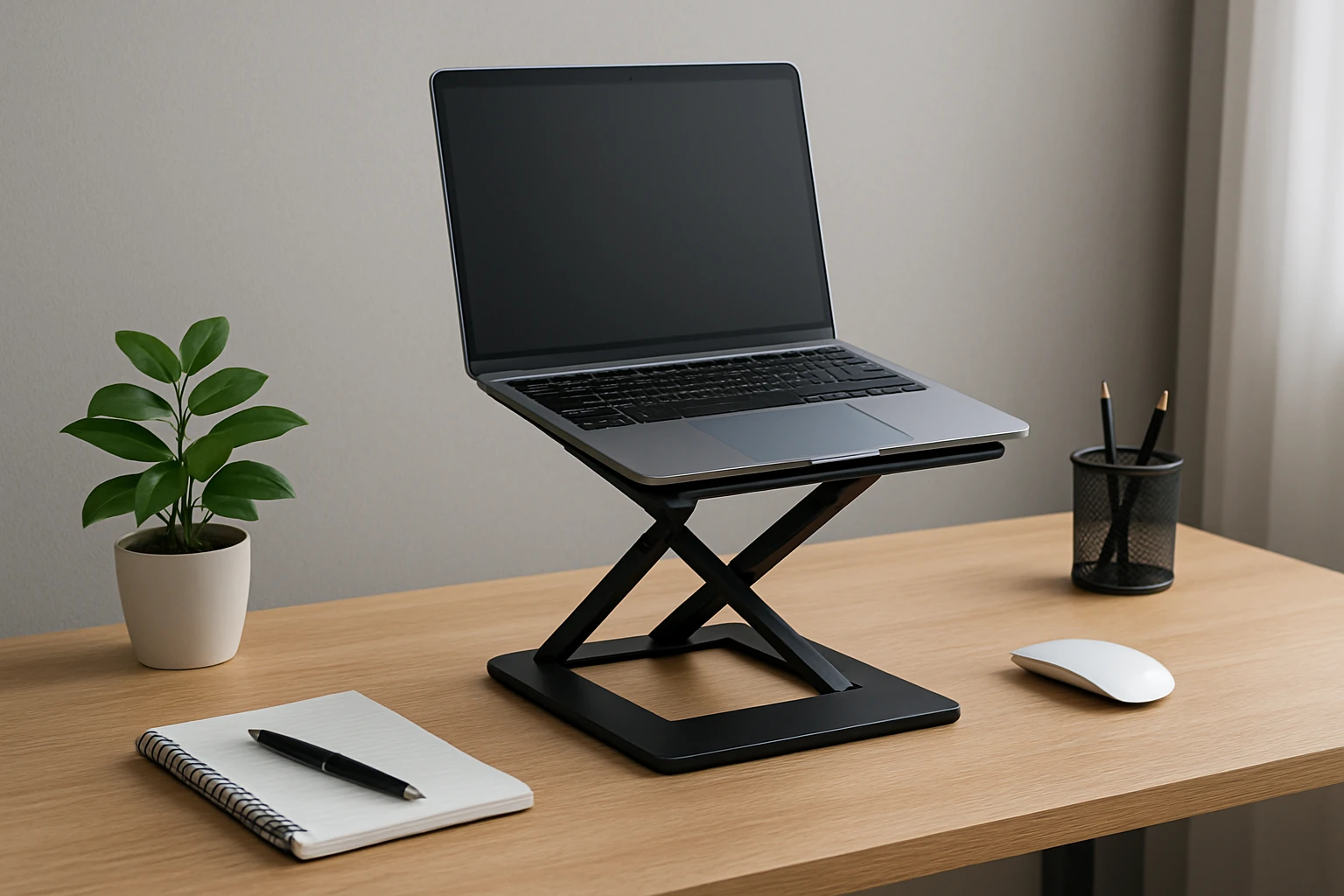
In modern work environments, desks are often limited in size while the demand for comfort and productivity continues to rise. This guide explains why height‑adjustable laptop risers are essential for small workspaces, outlines the ergonomic principles behind them, and presents four carefully selected Amazon products that address space constraints without sacrificing performance. Readers will learn how to evaluate features, compare specifications, and implement best‑practice setup techniques that reduce neck strain, improve airflow, and keep a clutter‑free surface.
By the end of this article, one will be able to select a riser that matches personal workflow, budget, and aesthetic preferences, and will possess actionable tips for maintaining an ergonomic workstation on a compact desk.
Background and Context
Small desks present a unique challenge because the surface area must accommodate a laptop, peripheral devices, and often a notebook or phone. Traditional flat‑surface usage forces the user to hunch, leading to musculoskeletal discomfort over time. Elevating the laptop to eye level creates a neutral spine posture, reduces wrist extension, and encourages better heat dissipation.
Height‑adjustable risers differ from static stands by offering multiple angles and elevations, allowing the user to adapt the workstation throughout the day. Materials such as aluminum, steel, and reinforced plastic provide varying degrees of stability, weight capacity, and portability. Understanding these variables is crucial before making a purchase.
Research indicates that a workstation set at a 90‑degree elbow angle and a monitor height that aligns with the eyes can decrease neck pain by up to 60 percent. Therefore, a well‑chosen riser not only saves space but also contributes directly to long‑term health.
Key Concepts and Strategies
When evaluating a laptop riser, consider the following concepts:
- Adjustability Range: The number of height positions and tilt angles determines flexibility for different laptop sizes and user heights.
- Weight Capacity: Ensure the stand can support the laptop’s mass, especially for larger 15‑inch models that may weigh up to 8 lb (3.6 kg).
- Heat Dissipation: Ventilation holes or open‑frame designs promote airflow, preventing thermal throttling during intensive tasks.
- Portability: Foldable mechanisms and lightweight construction are essential for users who move between home, office, and co‑working spaces.
- Stability: Non‑slip silicone pads, rubberized hooks, and a broad base prevent wobble, especially when typing vigorously.
Applying these criteria will guide the selection process and ensure the chosen riser aligns with ergonomic goals.
Product Recommendations
The following products have been chosen because they excel in the categories listed above while remaining affordable for most budgets.
Adjustable Metal Laptop Stands
The Gogoonike Metal Laptop Stand offers a robust steel frame, a weight capacity of 17.6 lb (8 kg), and a dual‑rubber anti‑slip system. Its ventilated top panel enhances cooling, and the foldable design makes it ideal for travel. Users praise its sturdiness and the ability to set the laptop at a height that aligns with eye level, reducing neck fatigue.
- Adjustable height and angle for personalized ergonomics
- Sturdy metal construction supporting up to 17.6 lb
- Ventilation holes for superior heat dissipation
- Foldable for easy transport
- Compatible with 10‑15.6 inch laptops
Price: $14.99 Rating: 4.6 / 5 (3,205 reviews)
The LOXP Metal Laptop Stand provides a comparable adjustable mechanism at a slightly lower price point. Its weight capacity of 8.8 lb (4 kg) is suitable for most 13‑ and 14‑inch devices. The stand’s ultra‑heat‑dissipation design utilizes an open lattice that maximizes airflow, and the silicone pads protect the laptop from scratches.
- Foldable ergonomic design
- Supports up to 8.8 lb
- Non‑slip silicone pads on top and bottom
- Enhanced ventilation for cooling
- Broad compatibility with 10‑15.6 inch laptops
Price: $11.99 Rating: 4.7 / 5 (1,040 reviews)
Premium Aluminum Option
The Besign LS03 Aluminum Laptop Stand combines a sleek aluminum alloy body with a detachable three‑step assembly. It supports up to 8.8 lb and features a wide base that eliminates wobble. The open‑frame design improves airflow, and the stand folds flat for storage, making it a versatile choice for professionals who value aesthetics and durability.
- Aluminum alloy construction for a premium feel
- Supports up to 8.8 lb
- Detachable design for easy assembly
- Open frame promotes heat dissipation
- Fits laptops from 10‑15.6 inch
Price: $14.99 Rating: 4.8 / 5 (22,872 reviews)
Rotating Premium Stand
The Joyeky Rotating Laptop Stand stands out with a 360° swivel base, allowing users to share screens without moving the entire workstation. Constructed from high‑quality aluminum alloy, it supports up to 11 lb and includes height adjustment up to 11.81 inches. The combination of stability, adjustability, and rotation makes it especially suitable for collaborative environments and small desks where space is at a premium.
- 360° swivel base for effortless sharing
- Height adjustment up to 11.81 inches
- Supports up to 11 lb
- Aluminum alloy base for superior stability
- Ventilated design for heat management
Price: $35.98 Rating: 4.7 / 5 (2,671 reviews)
Comparison and Selection Guide
| Feature | Gogoonike Metal Laptop Stand | LOXP Metal Laptop Stand | Besign LS03 Aluminum Stand | Joyeky Rotating Stand |
|---|---|---|---|---|
| Price | $14.99 | $11.99 | $14.99 | $35.98 |
| Weight Capacity | 17.6 lb (8 kg) | 8.8 lb (4 kg) | 8.8 lb (4 kg) | 11 lb |
| Adjustability | Multiple heights and angles | Height and angle adjustment | Fixed 6‑inch lift, detachable | Height up to 11.81 in, 360° swivel |
| Portability | Foldable, lightweight | Foldable, lightweight | Folds flat, moderate weight | Foldable, slightly heavier due to base |
| Heat Management | Ventilation holes | Ultra‑heat‑dissipation lattice | Open aluminum frame | Open suspended design |
| Best For | Heavy laptops, travel | Budget‑conscious users | Premium look, stable work | Collaboration, rotating display |
When deciding which riser to purchase, one should prioritize the most critical factors for the individual workspace. If maximum weight capacity and ruggedness are required, the Gogoonike model excels. For users seeking the lowest price while still obtaining reliable ergonomics, the LOXP stand is appropriate. Professionals who desire a refined aesthetic and easy assembly may prefer the Besign aluminum option. Finally, teams that frequently share screens will benefit from the Joyeky rotating base.
Best Practices and Setup Tips
- Measure the ideal eye‑level height by sitting upright, extending the arms, and noting the position where the top of the laptop screen aligns with the eyes.
- Adjust the riser to achieve a 90‑degree elbow angle; this reduces forearm strain during typing.
- Place a silicone pad or wrist rest on the desk to maintain neutral wrist posture while the laptop is elevated.
- Ensure the ventilation side of the stand faces upward and unobstructed; avoid covering the holes with books or papers.
- Periodically clean the silicone pads and metal surfaces to prevent dust buildup that could affect stability.
- If using an external keyboard and mouse, keep the laptop at a slight tilt to improve screen visibility while the peripherals remain at a comfortable height.
- For rotating stands, lock the swivel after positioning to prevent accidental movement during typing.
Implementing these steps will maximize ergonomic benefit and extend the lifespan of the riser.
Frequently Asked Questions
1. Can a laptop riser replace a separate monitor?
A riser elevates the laptop screen to eye level but does not increase screen size. For users requiring larger displays, an external monitor combined with a riser remains the optimal solution.
2. Will the riser fit a 16‑inch laptop?
Most models listed support up to 15.6 inches; however, the Joyeky Rotating Stand explicitly accommodates laptops up to 16 inches, making it the suitable choice for larger devices.
3. How much weight can a metal stand safely hold?
Metal stands typically support between 8 lb and 18 lb depending on thickness and design. Always verify the manufacturer’s weight rating before use.
4. Is assembly required for these products?
The Gogoonike, LOXP, and Joyeky models arrive pre‑assembled and ready to use. The Besign LS03 requires a three‑step detachable assembly, which most users complete within a few minutes.
5. Does the 360° swivel affect stability?
The Joyeky stand incorporates a weighted aluminum base that maintains stability even when rotated. Users should ensure the base remains on a flat surface to avoid wobble.
6. Are these stands compatible with tablets?
All four stands can hold tablets of similar dimensions to laptops, provided the weight does not exceed the stated capacity.
7. How often should the height be readjusted?
Adjust the height whenever the user’s posture changes, such as after a break, when switching between seated and standing work, or when using a different chair.
Conclusion
Height‑adjustable laptop risers provide a practical solution for small desks by creating ergonomic posture, enhancing heat management, and freeing valuable surface area. By understanding key features such as adjustability, weight capacity, and stability, one can select a product that aligns with personal workflow and budget. The four Amazon selections presented address a range of priorities from budget‑friendly durability to premium rotating functionality. Implementing the best‑practice setup tips will ensure long‑term comfort and productivity.
Investing in a well‑designed riser is an investment in health, efficiency, and workspace aesthetics, especially when desk real‑estate is limited.
Products Featured in This Guide
Gogoonike Metal Laptop Stand
Price: $14.99 Rating: 4.6 / 5 (3,205 reviews)
Featured for its high weight capacity, robust metal construction, and travel‑friendly foldable design, making it ideal for heavy laptops on small desks.
LOXP Metal Laptop Stand
Price: $11.99 Rating: 4.7 / 5 (1,040 reviews)
Featured for its budget‑friendly price, ultra‑heat‑dissipation lattice, and reliable anti‑slip silicone pads, providing solid ergonomics for most 13‑inch laptops.
Besign LS03 Aluminum Laptop Stand
Price: $14.99 Rating: 4.8 / 5 (22,872 reviews)
Featured for its premium aluminum build, detachable assembly, and stable wide base, offering a sleek professional look for office environments.
Joyeky Rotating Laptop Stand
Price: $35.98 Rating: 4.7 / 5 (2,671 reviews)
Featured for its 360° swivel base, high weight capacity, and robust aluminum construction, making it perfect for collaborative work on compact desks.