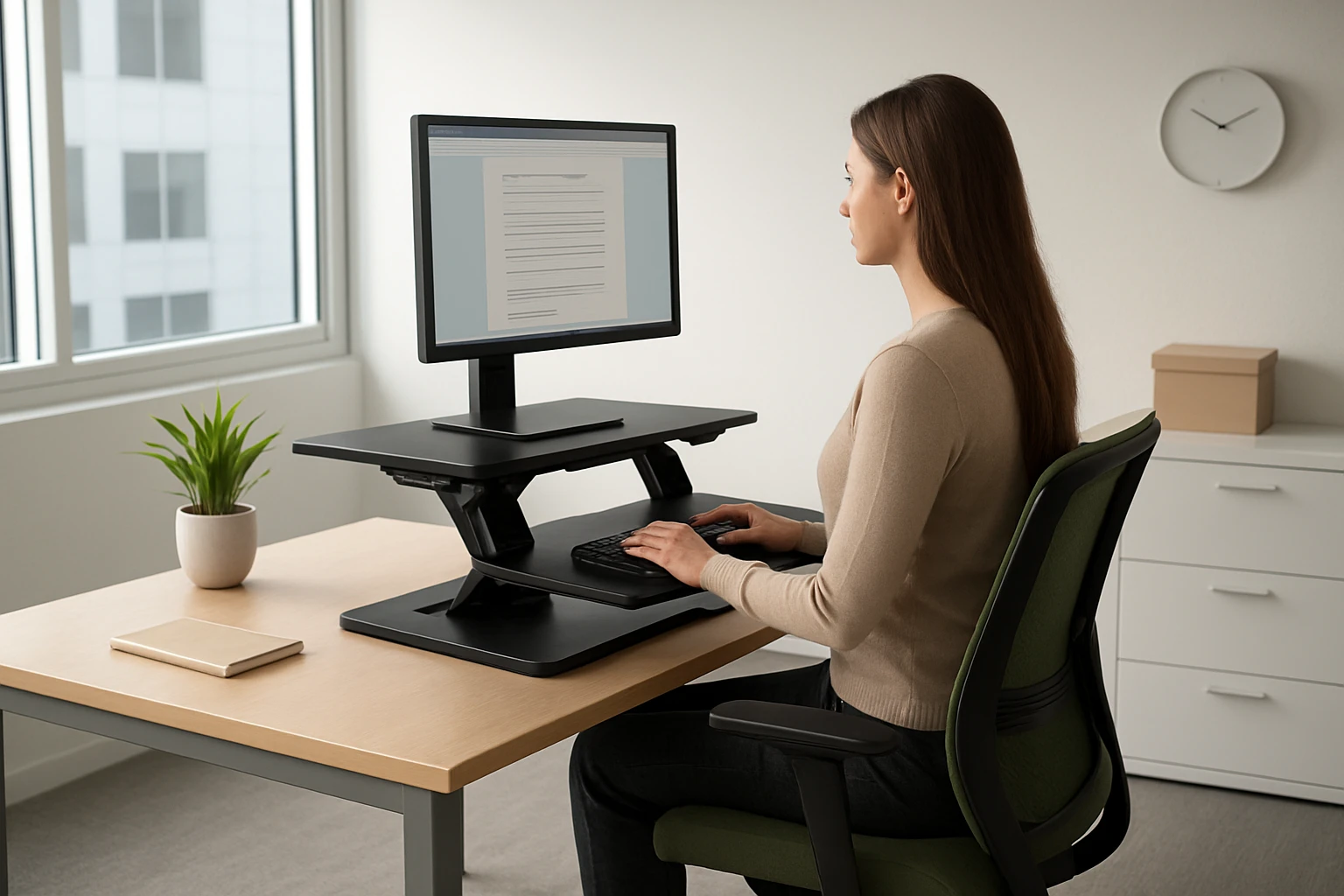
Ultimate Guide to Sit‑Stand Desk Setups for Chronic Back Pain in Small Offices — Ergonomic, Space‑Saving Solutions
Introduction
Back pain has become a pervasive problem for many knowledge workers, especially those who spend long hours at a desk in confined office spaces. This guide explains how sit‑stand desks can mitigate chronic back discomfort, outlines ergonomic principles, and presents space‑efficient product options that fit within limited square footage. Readers will learn to evaluate desk features, compare models, and implement best‑practice habits that promote spinal health.
By the end of this article, the reader will be able to select a desk that matches personal height, budget, and workspace constraints, while also understanding how to configure a workstation that supports proper posture and movement throughout the workday.
Background and Context
Prolonged static sitting increases pressure on intervertebral discs, reduces lumbar lordosis, and can lead to muscular imbalances. Research indicates that alternating between sitting and standing reduces musculoskeletal strain, improves circulation, and may decrease the incidence of chronic lower‑back pain. However, the benefits are realized only when the workstation is ergonomically tuned.
Key ergonomic concepts include:
- Neutral spine alignment: The head, shoulders, and hips should form a straight line when seated or standing.
- Elbow angle: A 90‑degree angle at the elbow minimizes shoulder elevation.
- Monitor height: The top of the screen should be at or slightly below eye level.
- Weight distribution: Feet should rest flat on the floor or a footrest to avoid uneven pressure.
In small offices, desk footprint and cable management are also critical. Selecting a desk that integrates power outlets, USB ports, and cable routing can prevent clutter that otherwise forces workers into awkward postures.
Choosing the Right Sit‑Stand Desk for Small Offices
When evaluating desks for a compact workspace, consider the following criteria:
- Surface dimensions: Ensure the tabletop accommodates monitors, keyboards, and accessories without extending beyond the available floor area.
- Height range: A minimum range of 28‑46 inches covers most adult heights, allowing both seated and standing positions.
- Weight capacity and stability: A sturdy frame prevents wobble, which can exacerbate back pain.
- Integrated features: Built‑in power strips, USB ports, and cable management reduce the need for external accessories.
- Ease of assembly: Clear instructions and pre‑drilled holes save time and reduce frustration.
Below are four desks that meet these requirements while offering distinct advantages for small office environments.
1. AODK Standing Desk with Drawers, 55"
The AODK Standing Desk provides a 55‑inch surface, integrated power strip with three outlets and two USB ports, and LED lighting with twenty modes. Its height adjusts from 29.9" to 46.1" and includes three memory presets for quick transitions. Two cloth drawers and a keyboard tray add storage without increasing floor footprint, while a hidden cable tray keeps cords out of sight.
Key specifications:
- Price: $189.99
- Rating: 4.5/5 based on 618 reviews
- Power & LED Lights, 2 drawers, keyboard tray, monitor shelf
- Quiet motor, assembly time approximately two hours
This desk is ideal for users who value built‑in illumination and storage, especially in offices where desk space doubles as a filing area.
2. Veken 47.2" Electric Standing Desk
The Veken 47.2" Standing Desk offers a compact footprint suitable for narrow rooms. Height ranges from 28.3" to 46.5" and includes multiple memory presets. Integrated cable management with a clip maintains a tidy workspace, and the desk arrives in two pre‑drilled panels for straightforward assembly.
Key specifications:
- Price: $114.99
- Rating: 4.7/5 based on 1,485 reviews
- Adjustable height, cable management, quick‑assembly design
- Lightweight yet stable frame suitable for daily use
Because of its smaller surface, this model works well for solo workers who need space for a single monitor and keyboard.
3. Veken 63" Electric Standing Desk
The Veken 63" Standing Desk delivers a generous 63" x 28" work surface, allowing multiple monitors and extensive paperwork. Height adjusts from 27.9" to 45.6" and the heavy‑duty steel frame ensures rock‑solid stability even at full height. A curved ergonomic edge reduces arm strain during long sessions.
Key specifications:
- Price: $169.99
- Rating: 4.3/5 based on 424 reviews
- Spacious desktop, sturdy steel frame, single‑motor lift
- Curved edge for ergonomic comfort
This desk is suited for users who require extensive surface area for dual‑monitor setups or creative work that demands extra room.
4. Furmax 55" Adjustable Standing Desk
The Furmax Standing Desk features a 55" x 24" wood‑grain desktop split into two panels, a quiet motor with a speed of 1" per second, and dual memory presets. It includes a safety lock, anti‑collision sensor, and over‑heat protection. The T‑shaped metal bracket provides stability while the desk remains relatively lightweight.
Key specifications:
- Price: $118.99
- Rating: 4.4/5 based on 4,979 reviews
- Quiet motor, memory presets, built‑in safety features
- Large wooden surface with rounded corners
This model balances aesthetic appeal with functional ergonomics, making it a strong candidate for home‑office environments that prioritize a professional appearance.
Comparison and Selection Guide
The following table summarizes the most relevant attributes for each desk, helping readers quickly identify the model that aligns with their spatial constraints, budget, and feature preferences.
| Desk | Surface Size | Height Range | Price | Rating | Key Integrated Features |
|---|---|---|---|---|---|
| AODK Standing Desk | 55" | 29.9" – 46.1" | $189.99 | 4.5 | Power strip, USB ports, LED lights, 2 drawers, cable tray |
| Veken 47.2" Desk | 47.2" (split) | 28.3" – 46.5" | $114.99 | 4.7 | Memory presets, cable clip, quick assembly |
| Veken 63" Desk | 63" x 28" | 27.9" – 45.6" | $169.99 | 4.3 | Curved edge, steel frame, spacious work area |
| Furmax 55" Desk | 55" x 24" (split) | 28.7" – 46.4" | $118.99 | 4.4 | Quiet motor, safety lock, anti‑collision, wood finish |
When space is at a premium, the Veken 47.2" model provides the smallest footprint while still offering height memory and cable organization. For users who need extra surface area for multiple monitors, the Veken 63" desk delivers the most generous workspace without sacrificing stability. The AODK desk stands out for its built‑in illumination and storage, which can replace separate lighting fixtures and filing cabinets. Finally, the Furmax desk offers a premium wood aesthetic and robust safety features, making it suitable for professional settings where visual impression matters.
Best Practices & Tips for Ergonomic Sit‑Stand Use
Even the most advanced desk cannot prevent back pain if it is used incorrectly. Follow these evidence‑based recommendations:
- Adopt the 20‑8‑2 rule: Sit for 20 minutes, stand for 8 minutes, and move for 2 minutes. This pattern encourages regular micro‑breaks and reduces static loading on the spine.
- Adjust monitor height before changing posture: When switching to standing, raise the monitor so the top aligns with eye level to maintain neutral neck alignment.
- Use an anti‑fatigue mat: A cushioned mat reduces pressure on the heels and lower back during prolonged standing periods.
- Maintain a 90‑degree elbow angle: Position the keyboard and mouse so that forearms are parallel to the floor, preventing shoulder elevation.
- Engage core muscles: Slightly engage abdominal muscles while standing to support lumbar curvature.
- Keep cables organized: Utilize built‑in cable trays or clips (as found on the AODK and Veken models) to avoid tripping hazards and visual clutter.
- Periodically reassess ergonomics: Use a posture checklist weekly to verify that desk height, monitor distance, and chair settings remain optimal.
Implementing these habits in conjunction with a well‑chosen sit‑stand desk can dramatically reduce chronic back pain and improve overall productivity.
Frequently Asked Questions
- 1. How often should I switch between sitting and standing?
- Experts recommend changing posture every 30‑60 minutes. Beginning with the 20‑8‑2 rule helps establish a routine that gradually increases standing time.
- 2. Will a standing desk alone cure chronic back pain?
- No. A standing desk is a tool that supports ergonomic posture. Complementary actions such as regular stretching, core strengthening, and proper chair ergonomics are essential.
- 3. What is the ideal height for my desk?
- When seated, the desk surface should be at elbow height, typically 24‑28 inches for most adults. When standing, the surface should be at or slightly below elbow height, generally 40‑44 inches.
- 4. Are built‑in power outlets necessary?
- Integrated power strips reduce the need for external surge protectors and minimize cable clutter, which is particularly valuable in small offices where space is limited.
- 5. How much weight can these desks support?
- All four models listed have a load capacity of at least 150 lb, sufficient for dual monitors, laptops, and typical office accessories. The Veken 63" desk, with its steel frame, offers the highest stability for heavier setups.
- 6. Can I use a standing desk with a laptop stand?
- Yes. Pairing a laptop riser with an external keyboard maintains a neutral wrist position while preserving the ergonomic benefits of the adjustable desk.
- 7. Do I need a special chair for a sit‑stand workstation?
- A chair with adjustable seat height, lumbar support, and a swivel base complements the desk by allowing seamless transitions between positions.
Conclusion
Chronic back pain in small office environments can be mitigated through the strategic use of ergonomic sit‑stand desks, regular movement, and attention to workstation layout. By evaluating surface dimensions, height range, integrated power solutions, and stability, users can select a desk that fits their spatial constraints and budget. Implementing the best‑practice guidelines presented in this guide will maximize the health benefits of a sit‑stand setup, leading to improved comfort, productivity, and long‑term spinal health.
Products Featured in This Guide
AODK Standing Desk
Price: $189.99 | Rating: 4.5/5 (618 reviews)
Featured for its integrated power strip, USB ports, LED lighting, and built‑in storage drawers, which make it a space‑saving solution for small offices that require both illumination and organization.
Veken 47.2" Standing Desk
Price: $114.99 | Rating: 4.7/5 (1,485 reviews)
Featured for its compact footprint, memory presets, and integrated cable clip, making it ideal for narrow workspaces where clutter reduction is essential.
Veken 63" Standing Desk
Price: $169.99 | Rating: 4.3/5 (424 reviews)
Featured for its expansive 63" x 28" work surface, steel frame stability, and ergonomic curved edge, providing ample room for multi‑monitor configurations in small offices.
Furmax 55" Standing Desk
Price: $118.99 | Rating: 4.4/5 (4,979 reviews)
Featured for its quiet motor, safety lock, anti‑collision sensor, and wood‑grain aesthetic, offering a professional appearance while maintaining ergonomic functionality.