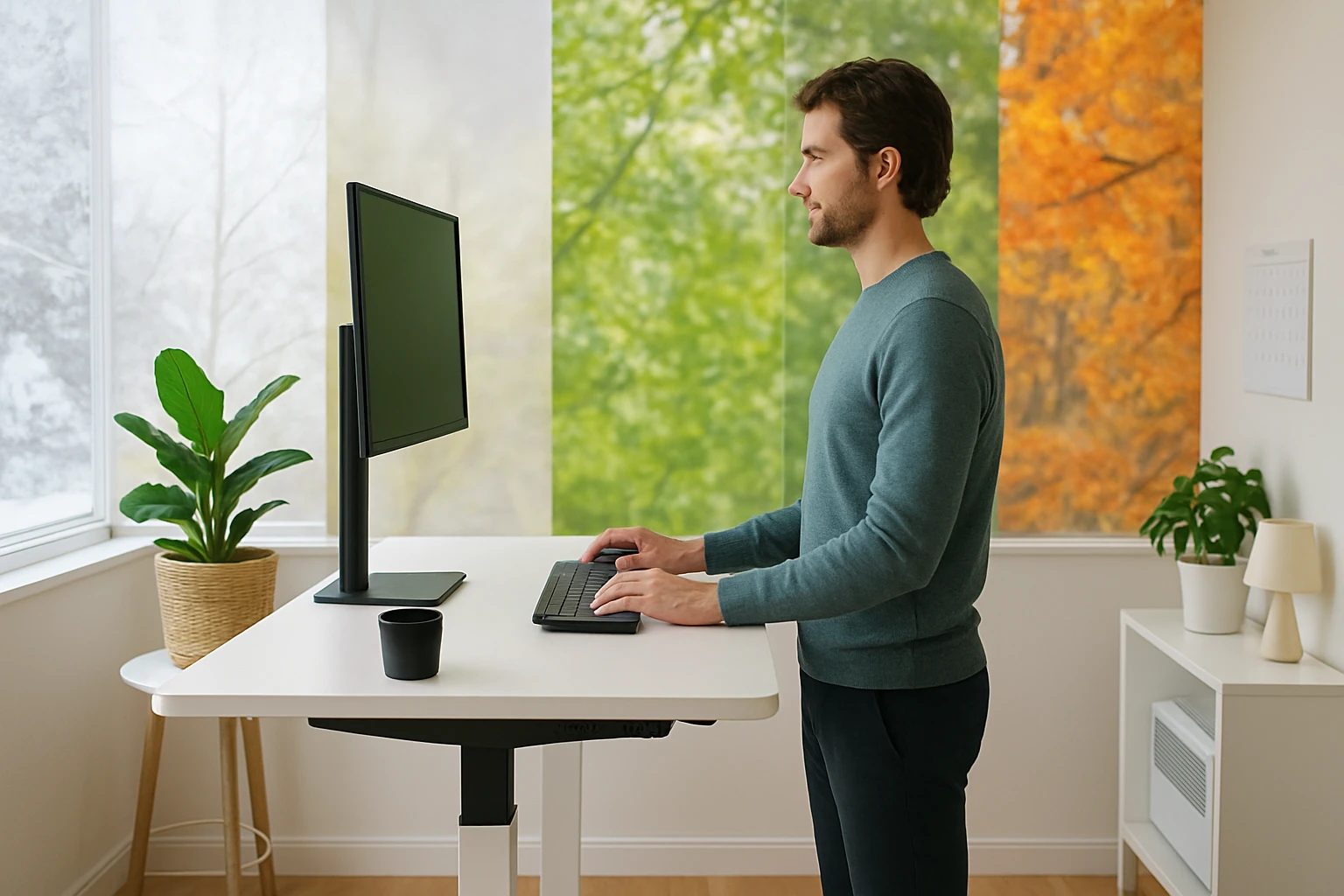
Year‑Round Ergonomics: A Practical Guide to Seasonal Posture Tips for Standing Desk Users in Small Rooms
Introduction
One often assumes that ergonomics is a static discipline, yet the comfort of a standing workstation changes with temperature, humidity, and daylight. This guide explains how seasonal factors influence posture for users who share limited floor space with a standing desk. Readers will learn foundational ergonomics, seasonal adjustment strategies, and product recommendations that support health and productivity throughout the year.
The article is organized into contextual background, actionable sections for each season, a comparison of recommended accessories, best‑practice tips, a concise FAQ, and a final product summary. By following the recommendations, one can reduce musculoskeletal strain, maintain focus, and protect equipment in a compact environment.
Background and Context
Ergonomic theory emphasizes neutral spine alignment, balanced joint loading, and micro‑movement to prevent fatigue. When a user stands, the body must support its own weight without excessive lumbar compression or knee strain. In small rooms, the proximity of walls, lighting fixtures, and heating or cooling vents can force the user into sub‑optimal positions.
Seasonal variations affect muscle tone, circulation, and perspiration. Cold air tends to tighten the upper back and shoulders, while hot, humid conditions increase sweating and can cause slippage of footrests. Understanding these dynamics enables one to select adjustable equipment that adapts to the environment rather than forcing the body to adapt to the equipment.
Key ergonomic principles that remain constant across seasons include:
- Maintain a 90‑degree elbow angle when typing.
- Keep the monitor top at eye level to avoid neck flexion.
- Distribute weight evenly between both feet.
- Incorporate micro‑breaks every 30‑45 minutes.
Seasonal Strategies for Small‑Room Standing Desks
Winter: Preserving Warmth and Joint Mobility
Cold temperatures reduce blood flow, making muscles feel stiff. One should raise the desk slightly higher to allow the shoulders to relax and avoid hunching. A heated mat is optional, but a well‑designed footrest can keep the feet warm without occupying floor space.
For winter, the HUANUO Adjustable Footrest provides three height positions and a tilt range that encourages gentle leg movement, which promotes circulation. Its massage‑textured surface reduces foot fatigue during long periods of standing.
Key winter adjustments:
- Set the footrest to the highest position (6.7 inches) to keep toes elevated.
- Use the -30° tilt to press the ball of the foot gently against the textured surface.
- Dress in layers and consider a light, breathable sweater to prevent overheating when the heater cycles on.
Spring: Managing Humidity and Light
Spring introduces higher humidity and fluctuating daylight. Moisture can cause the desk surface to feel slick, and glare from morning sun may strain the eyes. One should position the monitor away from direct sunlight and use an anti‑glare screen.
The VIVO Desk Converter offers a spacious 36‑inch top that accommodates dual monitors while providing a smooth pneumatic lift. Its height range of 6.5‑17 inches allows quick adaptation to changing light levels without readjusting the entire workstation.
Spring actions:
- Set the converter at a height that aligns the monitor top with the eyes, typically 4‑6 inches above seated height.
- Utilize the built‑in keyboard tray to keep the wrists neutral while the desk surface remains dry.
- Place a small indoor plant on the desk to improve air quality without sacrificing space.
Summer: Counteracting Heat and Sweat
During hot months, perspiration can make the work surface uncomfortable and increase the risk of slipping. One should lower the desk slightly to reduce the distance between the eyes and the monitor, thereby decreasing the need for upward neck tilt.
The Furmax Electric Standing Desk features a quiet motor with a memory‑preset function, allowing the user to switch instantly between a cool, lower standing height and a seated position. Its large 55 × 24‑inch wood desktop provides ample space for a fan or cooling pad.
Summer recommendations:
- Program the desk to a comfortable standing height of 42‑44 inches for quick transitions.
- Place a breathable desk mat under the feet to absorb sweat.
- Use the desk’s cable management zip ties to keep cords away from the floor where they could collect dust.
Autumn: Balancing Temperature Shifts
Autumn often brings moderate temperatures but can still feature cool mornings. One should combine the footrest’s tilt function with the converter’s adjustable height to maintain a neutral spine while the room temperature changes.
The QUTOOL Memory Foam Cushion offers lumbar support and a breathable cover that prevents heat buildup. Its non‑slip rubber base ensures stability on polished wooden floors common in small apartments.
Autumn actions:
- Position the cushion on the chair when seated and on the floor when standing to provide consistent lumbar alignment.
- Adjust the footrest to the middle height (5.5 inches) and use a neutral tilt to encourage subtle leg movement.
- Utilize natural daylight for tasks that require focus, but employ a desk lamp in the evening to reduce eye strain.
Comparison and Selection Guide
| Product | Price | Max Load | Adjustment Range | Rating |
|---|---|---|---|---|
| VIVO Desk Converter | $219.99 | 33 lb (desktop) / 4 lb (tray) | 6.5"–17" | 4.6/5 (10,073 reviews) |
| Furmax Electric Standing Desk | Price not listed | Not specified (steel frame) | 28.7"–46.4" | Rating not provided |
| QUTOOL Memory Foam Cushion | $35.99 | 150‑270 lb | Not applicable | 4.3/5 (21,661 reviews) |
| HUANUO Adjustable Footrest | Price not listed | Not specified | 4.3"–6.7" (three positions) | Rating not provided |
When selecting accessories for a small‑room standing desk, one should prioritize items that occupy minimal floor space, offer multiple adjustment points, and provide high durability. The VIVO Desk Converter excels in compactness and smooth lift, making it ideal for rooms where a full‑size electric desk would dominate the area. The Furmax Electric Desk supplies generous surface area for multiple monitors but requires careful placement to avoid crowding.
The QUTOOL Cushion adds orthopedic support without increasing the desk’s footprint, while the HUANUO Footrest introduces micro‑movement that combats static fatigue. Together, these products create a modular system that can be reconfigured as the season changes.
Best Practices & Tips
- Maintain a 2‑inch gap between the monitor and the eyes to reduce glare.
- Rotate the standing position every 30 minutes to avoid prolonged compression of the lumbar discs.
- Use a wireless keyboard to keep the desk surface clear, allowing the VIVO keyboard tray to serve as a secondary workspace.
- Clean the footrest and cushion regularly to prevent buildup of sweat and dust, which can affect grip.
- Program the Furmax desk’s memory presets for “Cool Morning” and “Warm Afternoon” heights to streamline transitions.
- In winter, wear compression socks to improve circulation while standing on the footrest.
- During summer, keep a small fan directed at the workstation to lower ambient temperature without increasing humidity.
Frequently Asked Questions
- How often should one change the height of a standing desk?
- One should adjust the height at least every 30‑45 minutes to alternate between sitting and standing, which reduces static load on the spine.
- Is a pneumatic converter as stable as an electric desk?
- The VIVO Desk Converter uses a strong steel frame and dual pneumatic springs that provide stable support up to 33 lb, making it comparable to many electric models for typical office loads.
- Can the footrest be used on carpeted floors?
- Yes, the non‑slip feet of the HUANUO Adjustable Footrest are designed to grip both hard flooring and low‑pile carpet without damaging the surface.
- What is the ideal thickness for a memory foam cushion in a small room?
- A thickness of approximately 2‑3 inches offers sufficient support while allowing the user to maintain a stable base on the chair or floor.
- Do electric standing desks require special maintenance?
- Regularly dust the motor housing, check the cable connections, and tighten any loose screws. The Furmax model includes an overheat protection function that reduces the need for intensive maintenance.
- How can one prevent the desk from feeling cramped in a tiny space?
- Utilize wall‑mounted monitor arms, keep only essential items on the desktop, and store peripheral devices in a nearby drawer or shelf.
Conclusion
Seasonal ergonomics is not a luxury but a necessity for anyone who works at a standing desk in a confined area. By understanding how temperature, humidity, and lighting affect posture, one can apply targeted adjustments and select accessories that enhance comfort throughout the year. The recommended products—VIVO Desk Converter, Furmax Electric Standing Desk, QUTOOL Memory Foam Cushion, and HUANUO Adjustable Footrest—provide modular solutions that respect limited space while delivering professional‑grade support. Implementing the best‑practice tips and rotating between seated and standing positions will safeguard musculoskeletal health and sustain productivity regardless of the season.
Products Featured in This Guide
VIVO Desk Converter
Price: $219.99 | Rating: 4.6/5 (10,073 reviews)
Featured because it offers a spacious 36‑inch surface, dual pneumatic lift, and minimal assembly, making it ideal for small rooms where a full‑size electric desk would dominate the space.
Furmax Electric Standing Desk
Price: Not listed | Rating: Not provided
Featured for its large 55 × 24‑inch wood desktop, memory‑preset height controls, and quiet motor, which together support multi‑monitor setups in a compact footprint.
QUTOOL Memory Foam Cushion
Price: $35.99 | Rating: 4.3/5 (21,661 reviews)
Featured because its ergonomic shape, breathable perforated cover, and lumbar support address lower‑back discomfort that can arise from prolonged standing or sitting in a small workspace.
HUANUO Adjustable Footrest
Price: Not listed | Rating: Not provided
Featured for its three height positions, tilt adjustment, and massage‑textured surface, which together promote circulation and reduce foot fatigue during long standing periods in confined rooms.