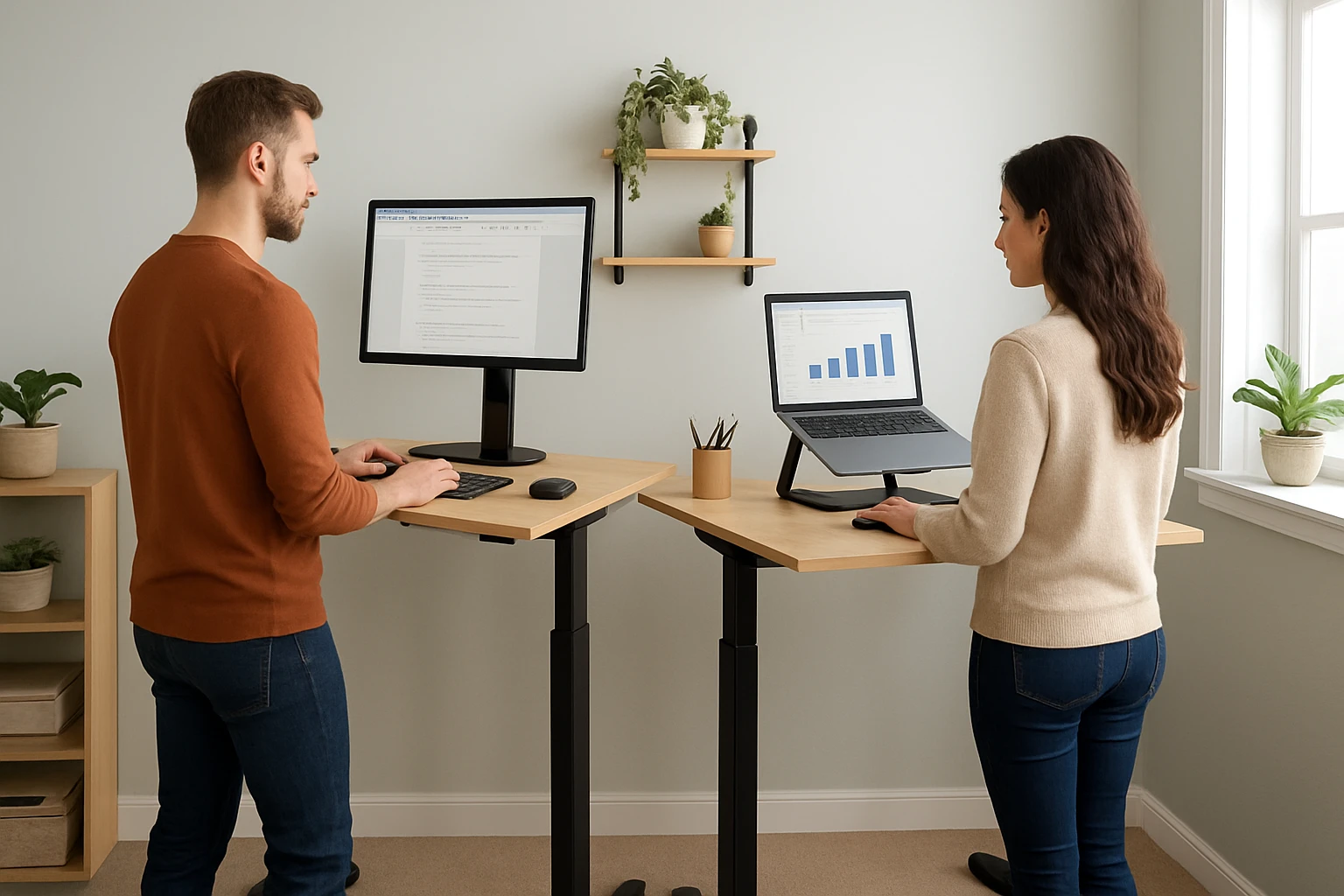
How to Create a Dual Standing Desk Setup for Couples in a Small Home Office: Space‑Saving, Ergonomic & Budget‑Friendly Steps
Introduction
In many households, two professionals share a single home office. One partner may work from a laptop while the other manages a desktop computer, and both require a comfortable, health‑supporting environment. This guide explains how to design a dual standing‑desk workstation that maximises limited square footage, promotes proper posture, and respects a modest budget. Readers will learn to select appropriate furniture, arrange equipment efficiently, and implement ergonomic adjustments that reduce fatigue during long work sessions.
The instructions are applicable whether the room measures ten square metres or less. By following the steps, couples will create a shared workspace that feels spacious, organised, and adaptable to future needs.
What You'll Need
- Two height‑adjustable standing desks (or one larger desk with a shared surface)
- Dual monitor mount
- Cable management accessories (clips, trays, or grommets)
- Desk organiser or drawer for personal items
- Basic assembly tools (Allen wrench, screwdriver)
- Measuring tape and level
All of the recommended furniture items are available on Amazon and are listed in the final section of this article.
Step 1: Measure the Room and Define Work Zones
Begin by measuring the length, width, and height of the office. Record the location of doors, windows, and power outlets. Using these dimensions, sketch a floor plan on graph paper or a digital tool. Allocate a dedicated zone for each partner, leaving at least 60 cm of clearance between the two work surfaces to allow free movement.
When the room is narrow, consider placing the desks back‑to‑back against opposite walls, creating a shared central aisle. This arrangement preserves visual privacy while still enabling easy conversation.
Mark the intended desk locations with painter's tape. Verify that each spot provides easy access to a power outlet for the desk motor and monitor mount. Ensuring sufficient clearance now prevents costly repositioning later.
Step 2: Choose the Right Standing Desk for Each Partner
For couples on a budget, the SHW Electric Standing Desk offers a spacious 55 × 28 inch work surface, integrated storage drawer, and quiet motorised lift. Priced at $189.87 and rated 4.4 out of 5 stars by over twenty‑one thousand reviewers, it provides ample room for dual monitors, a laptop, and personal items. The built‑in drawer keeps stationery out of sight, reducing visual clutter.
Alternatively, the HUANUO Electric Standing Desk costs $169.99, carries a 4.6‑star rating from 1,709 reviews, and includes four programmable height presets. Its steel frame and two‑piece desktop deliver durability and a sleek black‑walnut finish that matches many home décor styles.
Both desks feature adjustable floor levellers, which are essential on uneven flooring. Choose the model that best matches the desired aesthetic and the amount of surface area required. If the office can accommodate a longer surface, the SHW desk’s extra width may be advantageous for shared use.
Why these desks are recommended: they combine affordability, reliable motor performance, and ergonomic features such as memory presets and cable‑management trays. Competing premium brands often exceed $600, making these options ideal for cost‑conscious couples.
Step 3: Assemble the Desks Properly
- Unbox each desk and lay out all hardware on a clean surface.
- Follow the manufacturer's instructions, loosely inserting screws before final tightening. This prevents misalignment of the desktop panels, a common issue noted in user reviews.
- Attach the integrated hooks and cable‑management tray. Position the hooks on the side that offers the most convenient reach for headphones or bags.
- Use a level to verify that the desk tops are perfectly horizontal before connecting power.
- Plug the desks into a grounded outlet and test the lift function through the full height range.
Both desks include detailed manuals; however, it is advisable to enlist a second person for the heavier tabletop sections. The SHW desk, for example, arrives in two pieces that must be aligned carefully to avoid a visible seam.
After assembly, adjust the floor levellers until the desk remains stable on carpet or hardwood. This step eliminates wobble, which can cause fatigue during prolonged standing periods.
Step 4: Install the Dual Monitor Mount
To free valuable desk space, mount both monitors on a VIVO Dual Monitor Desk Mount. Priced at $49.99 with a 4.4‑star rating from 624 reviewers, this mount supports screens up to 32 inches and 22 lb each. Its telescoping arms and flush‑to‑wall design keep the monitors close to the work surface, preserving a clean aesthetic.
Installation steps:
- Position the C‑clamp on the desk edge, ensuring the desk thickness does not exceed 3.25 inches.
- Secure the clamp tightly, then attach the VESA plates to the back of each monitor.
- Slide the arms into the desired length, lock them, and verify that the monitors are level.
- Adjust tilt, swivel, and height using the arm controls until the top of the screen aligns with the user's eye level when standing.
The mount allows each partner to position their monitor independently, supporting ergonomic viewing angles and reducing neck strain.
Step 5: Organise Cables and Power Sources
Cluttered cables undermine the visual appeal of a dual workstation and can create tripping hazards. Both standing desks incorporate a cable‑management tray beneath the desktop. Route power strips, monitor cables, and USB chargers through this tray, securing them with zip ties or Velcro straps.
For additional organisation, install a desk organiser in the built‑in drawer of the SHW desk or use a small desktop bin on the HUANUO desk. Keep personal items such as pens, notepads, and headphones separate for each user to maintain a sense of individual space.
When both desks share a single power strip, label each outlet with the corresponding device. This practice simplifies troubleshooting and prevents accidental unplugging during meetings.
Step 6: Optimise Ergonomic Settings
Proper ergonomics reduce the risk of musculoskeletal discomfort. Follow these guidelines for each workstation:
- Set the desk height so that elbows form a 90‑degree angle when typing. Use the memory presets on the HUANUO desk or the height buttons on the SHW desk to switch between sitting and standing positions quickly.
- Position the monitor top at or slightly below eye level. The VIVO mount's height adjustment makes this simple.
- Maintain a viewing distance of approximately an arm's length (about 50‑70 cm) to minimise eye strain.
- Place the keyboard and mouse on the same surface plane to keep wrists neutral.
Encourage each partner to alternate between sitting and standing every 30‑45 minutes. This habit improves circulation and prevents fatigue.
Tips & Pro Tips
- Use a floor mat. Anti‑fatigue mats reduce pressure on the feet and lower back during prolonged standing.
- Label the memory presets. Most standing desks allow you to assign a custom label to each height button. Label one preset "Sit" and another "Stand" for quick reference.
- Share a single monitor arm. If space is extremely limited, a single VIVO arm with a dual‑monitor bracket can hold both screens side by side, freeing additional desk area.
- Consider a portable laptop stand. When one partner works primarily on a laptop, a lightweight stand can raise the screen to eye level while the desk remains at a comfortable height.
- Keep a small toolbox nearby. Allen wrenches and a screwdriver are useful for occasional height‑adjustment screw tightening.
Troubleshooting
| Problem | Possible Cause | Solution |
|---|---|---|
| Desk wobbles at full height | Uneven floor or loose levelling screws | Adjust floor levellers and tighten all hardware evenly. |
| Monitor mount does not stay level | Improper arm lock or overloaded weight | Re‑engage the telescoping arm locks and verify that each monitor is within the 22 lb limit. |
| Cable tray overflows | Excessive power strips or unorganized cords | Consolidate power strips, use cable ties, and route excess length into a cable sleeve. |
Conclusion
By measuring the space, selecting affordable yet reliable standing desks, mounting dual monitors, and applying ergonomic principles, couples can transform a modest home office into a collaborative, health‑supporting workstation. The recommended products – SHW Electric Standing Desk, HUANUO Electric Standing Desk, LVB Extra Long Industrial Office Desk, and VIVO Dual Monitor Desk Mount – provide the essential functionality without exceeding a reasonable budget. Implementing the tips and troubleshooting steps ensures long‑term satisfaction and productivity for both partners.
With a well‑planned layout, each individual retains personal workspace while sharing common resources, fostering both efficiency and harmony in the home office environment.
Products Mentioned in This Guide
Frequently Asked Questions
What size standing desks work best for a small shared home office?
Choose compact, height‑adjustable desks around 48‑60 inches wide that can slide together or use a single larger tabletop with a built‑in split surface.
How can couples keep cables tidy in a dual standing‑desk setup?
Use cable trays, clips, and grommets under the desk, and route power strips to a single outlet to minimize clutter.
Is a dual monitor mount necessary, and how should it be positioned?
A dual mount saves space and keeps screens at eye level; position it centrally so each partner’s monitor is angled slightly inward for comfortable viewing.
What ergonomic adjustments are essential for two people sharing a standing desk?
Each user should set their desk height so elbows are at 90°, use separate keyboard trays, and add anti‑fatigue mats for prolonged standing.
How can a dual standing‑desk workspace stay budget‑friendly?
Buy entry‑level adjustable frames, repurpose existing monitor arms, and use DIY cable organizers or second‑hand furniture to cut costs.