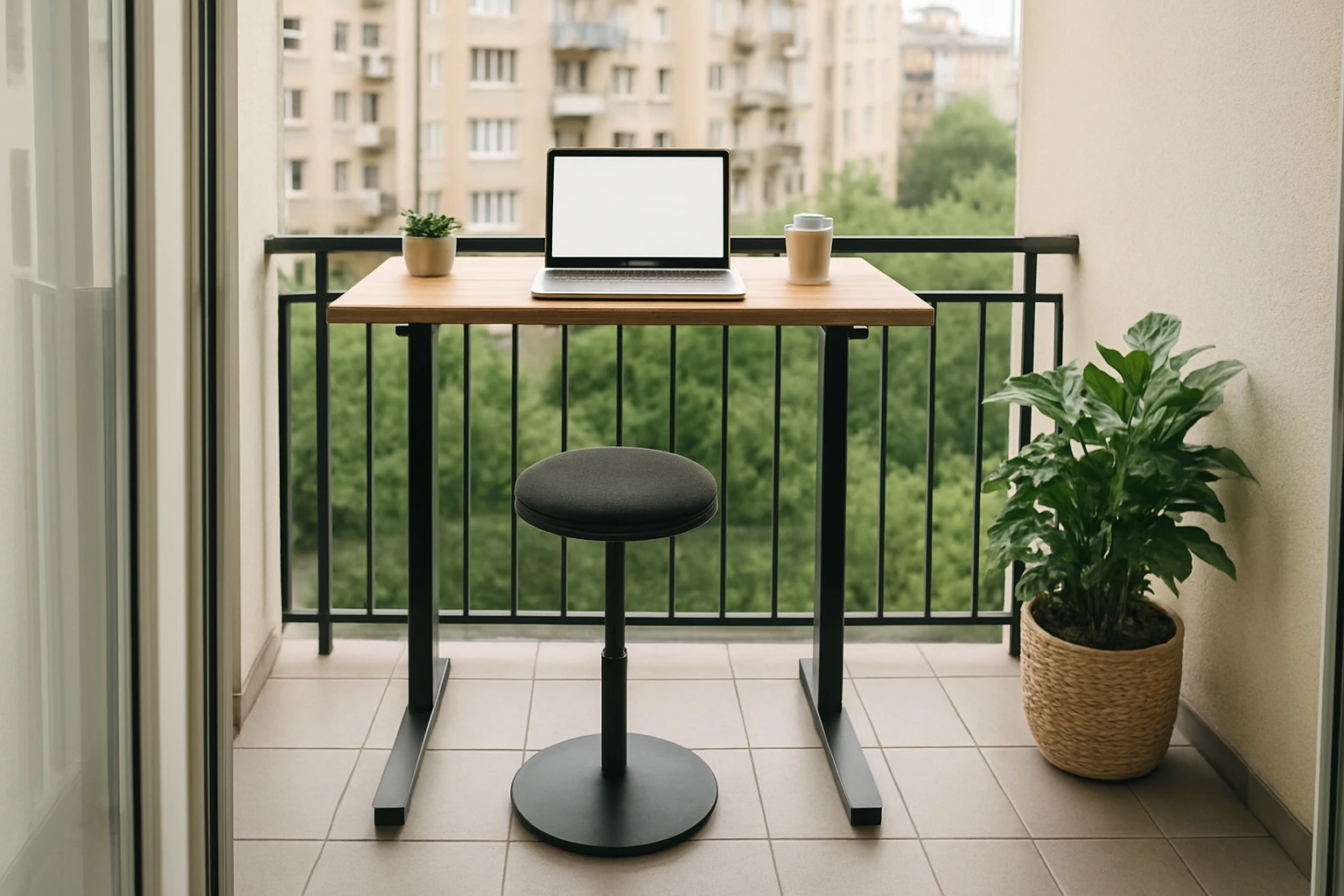
Introduction
In a small apartment, the balcony often represents the only area where additional workspace can be created without sacrificing living space. This guide explains how to transform that outdoor nook into a productive standing desk station, while preserving the aesthetic appeal of the balcony. Readers will learn how to assess the available area, select the most suitable desk, prepare the floor, and fine‑tune ergonomics for comfort and health. By following the steps, one can enjoy a flexible work environment that encourages movement and reduces the health risks associated with prolonged sitting.
What You Will Need
- Measuring tape or laser measure
- Level and pencil
- Protective floor mat or outdoor‑grade rug
- Assembly tools (usually included with the desk)
- Optional accessories: cable management tray, monitor arm, ergonomic chair
- One of the recommended standing desks (see product details below)
Step 1: Assess Balcony Space and Load Capacity
The first task is to determine the exact dimensions of the balcony and the weight it can support. Measure the length, width, and any protruding railings, then record the numbers in centimeters for precision. Verify the building’s structural guidelines, which often limit load to 150 kg per square meter for residential balconies. This information will dictate whether a heavy steel‑frame desk is appropriate or whether a lighter, mobile option is safer.
When the measurements are known, sketch a simple floor plan that includes the desk footprint, a chair or stool, and any additional accessories. Ensure that at least 60 cm of clearance remains behind the desk for easy ingress and egress. This planning stage prevents costly re‑arrangements later in the process.
Step 2: Choose the Right Standing Desk
Based on the space assessment, select a desk that balances stability, adjustability, and footprint. For balconies with ample room and a sturdy floor, the ErGear Electric Standing Desk provides a generous 48 × 24 in surface and motorized height adjustment from 28.35 in to 46.46 in. Its heavy‑duty alloy steel frame and aerospace‑grade lifting columns ensure stability even at maximum height, a crucial factor when wind or slight vibrations occur outdoors. The desk includes memory presets for four preferred heights, allowing one‑hand operation without interrupting workflow. Price: $135.99; Rating: 4.5 / 5 (10,911 reviews).
For balconies where space is limited or the floor cannot bear significant weight, the FlexiSpot Mobile Standing Desk offers a compact 27.6 × 15.7 in surface mounted on pneumatic lift columns. Height adjusts smoothly from 26 in to 41.7 in with a single‑hand lever, and four hidden casters allow the desk to be moved effortlessly for seasonal re‑configuration. Its lightweight steel frame reduces load on the balcony while still delivering ergonomic benefits. Price: $99.99; Rating: 4.5 / 5 (481 reviews).
If budget constraints are paramount, the HOMIDEC Rolling Standing Desk provides a 31.5 × 15.7 in desktop with five gear height settings ranging from 29.1 in to 43.3 in. The desk locks in place with two lockable wheels, offering stability at full height while still being portable. Its carbon‑fiber textured surface resists scratches and water, making it suitable for outdoor exposure. Price: $40.99; Rating: 4.3 / 5 (812 reviews).
Step 3: Prepare the Balcony Floor
After the desk is selected, protect the balcony surface to prevent moisture damage and to improve stability. Lay down a weather‑resistant floor mat or outdoor rug that measures at least 10 cm larger than the desk footprint on all sides. This mat acts as a shock absorber, distributes weight evenly, and reduces the risk of the desk wobbling in breezy conditions.
Secure the mat with non‑slip tape if the balcony floor is particularly smooth. Verify that the mat does not interfere with the door swing or railings. A level should be placed on top of the mat to confirm that the surface is even; any deviation greater than 2 mm should be corrected with shims before assembly begins.
Step 4: Assemble the Desk
Follow the manufacturer’s instructions carefully, as each desk model includes specific steps for attaching the lifting mechanism and the desktop. For the ErGear desk, connect the steel frame to the lifting columns using the supplied bolts, then attach the control panel to the side of the frame. The quiet motor will be tested by pressing the up and down arrows to ensure smooth operation.
For the FlexiSpot model, insert the pneumatic cylinder into the base, then secure the desktop with the provided screws. The height lever should glide without resistance; adjust the tension if necessary. The HOMIDEC desk requires aligning the double‑lock brackets before tightening the bolts; the lockable wheels should click into place when engaged.
During assembly, use a screwdriver rather than a power drill to avoid over‑torquing the threaded inserts, especially on particle‑board desktops. Hand‑tighten each fastener until snug, then perform a final check for wobble by gently rocking the desk side‑to‑side.
Step 5: Optimize Ergonomics for Outdoor Use
Once the desk is stable, set the height so that the user’s elbows form a 90‑degree angle while typing, and the monitor top aligns with eye level. This posture reduces neck strain and encourages natural movement. If a monitor arm is employed, ensure that the arm’s clamp is compatible with the desk’s thickness; most arms accept a 2‑inch to 3‑inch thick surface.
Consider adding a lightweight, breathable chair or a folding stool that can be stored when not in use. The chair should have a seat height that complements the standing position, allowing the user to transition seamlessly between sitting and standing throughout the day.
Finally, protect electronic equipment from sunlight and moisture by placing a UV‑resistant screen or a small canopy over the desk. This addition preserves screen visibility and extends the lifespan of keyboards and mice.
Step 6: Add Accessories for a Complete Workspace
Effective cable management keeps the balcony tidy and prevents tripping hazards. Use a cable tray that attaches to the underside of the desktop; many trays feature adhesive backing that does not damage the surface. Route power cords through a short extension cord with a surge protector rated for outdoor use.
Lighting is essential for early morning or evening work sessions. A compact LED desk lamp with adjustable brightness can be mounted on the desk edge, providing focused illumination without consuming excessive power.
Optional accessories such as a small plant pot or a weather‑proof speaker can enhance the ambiance, but they should be placed away from the desk’s moving parts to avoid interference with the height‑adjustment mechanism.
Tips & Pro Tips
- Check local building codes before installing any heavy equipment on a balcony; some jurisdictions require a permit for loads exceeding a certain threshold.
- Use a portable power strip with built‑in USB ports to reduce the number of cables that need to be routed.
- Apply a silicone sealant around the base of the desk if the balcony is exposed to heavy rain; this prevents water ingress into the motor or pneumatic system.
- Schedule short standing intervals of 30 minutes followed by a brief seated break; this pattern maximizes the health benefits of a standing desk.
Troubleshooting
Desk wobbles at maximum height: Verify that all bolts are tightened and that the floor mat is fully flat. If wobble persists, place a small piece of plywood under the desk to increase the contact area.
Motor makes noise: Ensure that the desk is not overloaded with equipment exceeding the manufacturer’s weight limit. Remove excess items and test the motor again.
Pneumatic lift sticks mid‑range: Adjust the gas spring tension according to the user’s weight, as described in the FlexiSpot manual. If the problem continues, the cylinder may be defective and should be replaced under warranty.
Conclusion
By carefully measuring the balcony, selecting a desk that matches the space and load requirements, and following the assembly and ergonomic guidelines, one can create a functional standing‑desk oasis in a small apartment. The result is a versatile workspace that encourages movement, improves posture, and makes the most of limited square footage. Readers are encouraged to apply these principles to their own living environments and enjoy the productivity boost that a balcony standing desk provides.
Products Mentioned in This Guide
Frequently Asked Questions
How do I measure my balcony to ensure a standing desk fits?
Use a measuring tape or laser measure to record the length, width, and any rail overhangs, then compare those dimensions to the desk’s footprint.
What weight capacity should I check before placing a desk on my balcony?
Verify the balcony’s load rating (usually in lbs or kg) and ensure it exceeds the combined weight of the desk, monitor, and accessories.
Can I use a regular indoor standing desk outdoors?
Choose a desk with weather‑resistant materials or a protective floor mat to shield it from moisture and UV exposure.
How can I improve ergonomics on a balcony standing desk?
Adjust the desk height so elbows are at a 90‑degree angle, use a monitor arm at eye level, and consider an anti‑fatigue mat for comfort.
What optional accessories help keep a balcony workstation tidy?
Cable management trays, a compact monitor arm, and a small ergonomic chair or stool help organize cords and provide flexibility.