
Introduction
One will discover how to transform a standing desk into a polished interview backdrop that conveys competence and attention to detail. The guide explains the importance of visual order, appropriate lighting, and acoustic clarity for a virtual meeting environment. Readers will learn practical techniques that can be implemented without purchasing any equipment, while also receiving targeted product recommendations for optimal results. By following the steps, one can present a professional image that enhances interview performance.
What You'll Need
- Standing desk with adjustable height
- Clear desktop surface
- External webcam or laptop camera
- Ring light or desk lamp
- Quiet room with neutral background
- Vtopmart Drawer Organizer Set (25‑piece plastic trays)
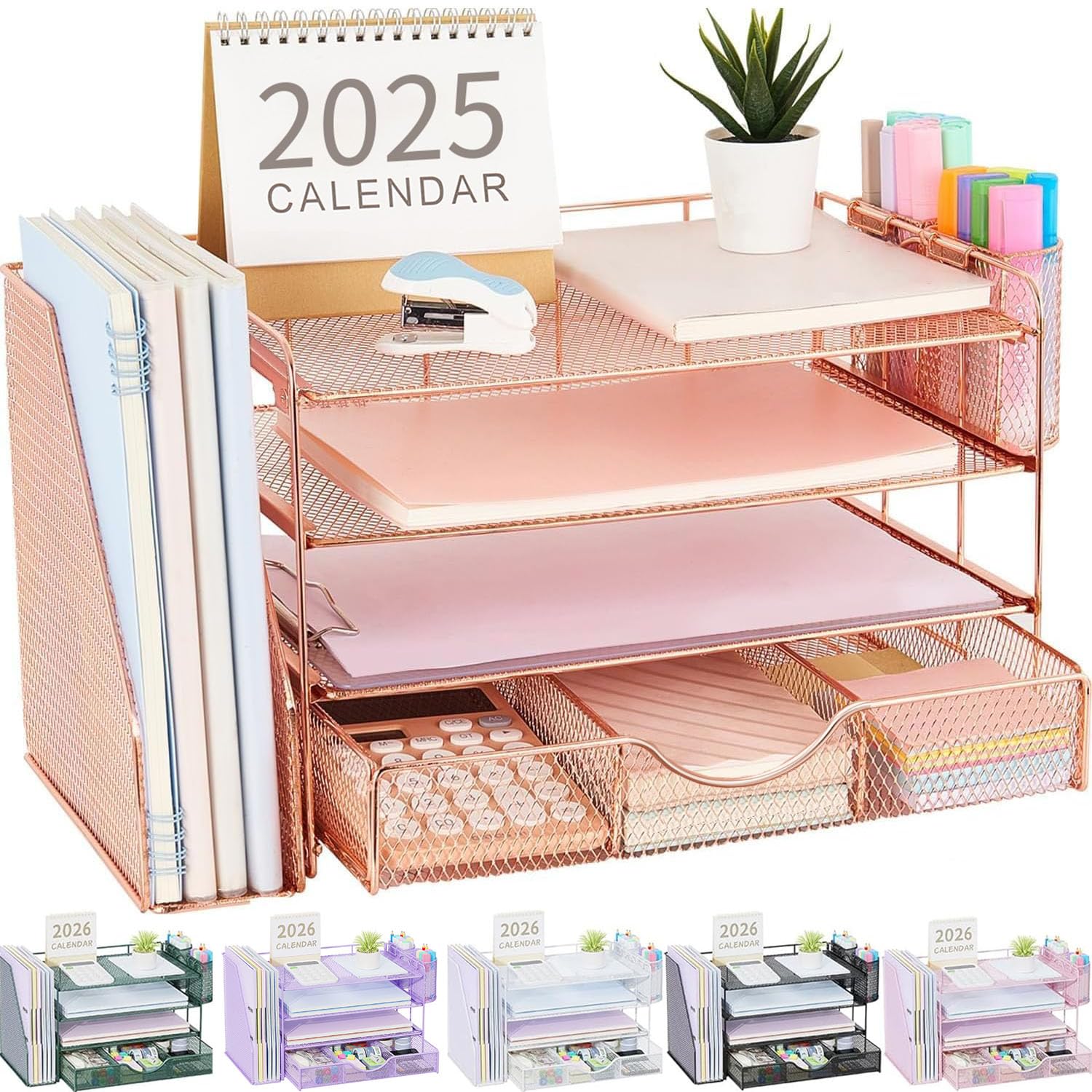
- Gianotter Rose Gold Desk Organizer (metal mesh organizer)
Step 1: Clear and Declutter the Workspace
The first action is to remove all items that are not essential for the interview, including personal papers, empty coffee cups, and unrelated gadgets. One should wipe the desk surface with a damp cloth to eliminate dust and fingerprints, creating a pristine foundation for the camera view. The Vtopmart Drawer Organizer Set assists in storing pens, clips, and small accessories inside the desk drawers, preventing visual clutter. This set includes 25 trays of four sizes, durable clear plastic, and 100 silicone pads for non‑slip stability; it is priced at $19.99 and holds a rating of 4.7 out of 5 from over 41,000 reviewers.
Step 2: Organize the Desktop Surface
After the workspace is cleared, one should arrange the remaining essential items in a logical hierarchy that supports interview flow. The Gianotter Rose Gold Desk Organizer provides vertical compartments for documents, a magazine rack for reference materials, and pen holders that keep writing tools within easy reach. Its four‑tier design, constructed from sturdy metal mesh and epoxy‑coated steel, ensures durability and a sleek aesthetic; it costs $22.49 and enjoys a rating of 4.6 out of 5 from more than 4,600 reviewers. By placing the organizer on the left side of the desk, one maintains a clean right‑hand area for the webcam and notes.
One should also allocate space for a notepad, a glass of water, and a subtle decorative element such as a small plant, which adds a touch of professionalism without distracting the interview panel. The non‑slip silicone pads included with the drawer organizer prevent the trays from shifting when the desk height is adjusted, preserving the orderly layout throughout the interview.
Step 3: Optimize Lighting and Background
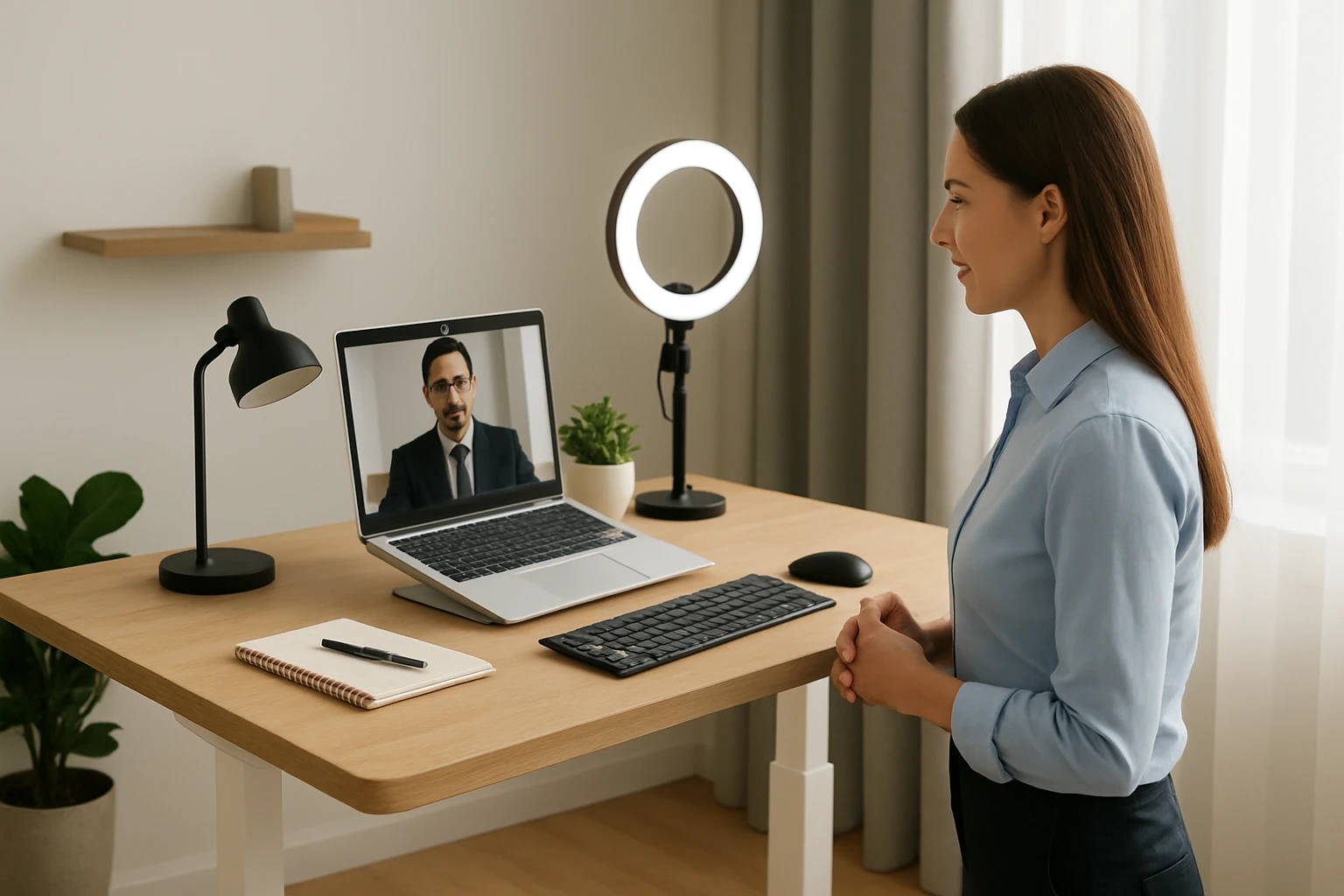
Proper lighting is essential to illuminate the face evenly and reduce shadows that can impair video quality. One should position a ring light or a desk lamp at a 45‑degree angle in front of the standing desk, ensuring the light source is slightly above eye level. If natural light is available, one may face a window while using a sheer curtain to diffuse harsh glare; however, the artificial light should remain the primary illumination for consistency.
The background should be neutral, free of busy patterns, and ideally a solid wall or a tidy bookshelf. One can use a portable backdrop or a simple fabric panel if the existing wall contains distracting artwork. Adjusting the camera height so that the eye line aligns with the top third of the screen creates a flattering perspective that conveys confidence.
Step 4: Ensure Audio Clarity and Camera Position
Clear audio is as important as visual presentation; background noise can undermine the interview experience. One should close doors, mute notifications on electronic devices, and consider a small desktop microphone if the built‑in laptop mic captures echo. Position the webcam at eye level by raising the standing desk or using a laptop stand, which prevents a low‑angle view that may appear unflattering.
Testing the audio and video settings before the interview is crucial. One can record a short clip to verify that lighting, background, and sound levels are balanced, making adjustments as needed. The Vtopmart Drawer Organizer Set can also store cable organizers, keeping power cords tidy and reducing visual distractions.
Step 5: Conduct a Final Walk‑Through and Test Run
Before the scheduled interview, one should perform a full rehearsal that mirrors the actual timing and content of the conversation. This includes opening the video platform, checking that the standing desk is set at a comfortable height, and confirming that all recommended products are correctly positioned.
During the rehearsal, one should observe the frame to ensure that the head and shoulders are centered, the background remains uncluttered, and no reflective surfaces cause glare. Adjust the Gianotter Rose Gold Desk Organizer if any items appear out of place, and verify that the silicone pads keep the drawer trays stable when the desk moves.
Tips & Pro Tips
- Use a neutral-colored mouse pad that matches the desk surface to maintain visual consistency.
- Keep a spare set of batteries for wireless devices within the Vtopmart Drawer Organizer Set to avoid interruptions.
- Schedule a brief break before the interview to stretch, ensuring the standing desk height remains comfortable for the entire session.
- Place a small clock out of camera view to manage time without checking a phone, which can cause distractions.
Troubleshooting
If the camera image appears dim, increase the lamp brightness or add a second light source to fill shadows. If the background shows unwanted movement, close curtains or relocate to a quieter room.
When audio feedback occurs, move the microphone further from the speakers or use headphones to isolate sound. Persistent lighting flicker may indicate incompatible light frequency; switching to LED bulbs with a higher refresh rate can resolve the issue.
Conclusion
One now possesses a systematic approach to stage a standing desk for remote job interviews, encompassing organization, lighting, audio, and final testing. By applying the step‑by‑step instructions and utilizing the recommended tools, one can project a professional image that reinforces competence and preparedness. The guide emphasizes that a polished setup enhances communication clarity and leaves a positive impression on interview panels. Readers are encouraged to implement these practices for every virtual interview to maximize their chances of success.
Products Mentioned in This Guide
Frequently Asked Questions
How can I use a standing desk as a professional backdrop for virtual interviews?
Adjust the desk height so the camera captures you from the waist up, keep the surface clean, and position a neutral background behind you.
What lighting setup works best with a standing desk during video calls?
Place a ring light or desk lamp at eye level in front of you to eliminate shadows and ensure even illumination.
How do I keep my standing desk area clutter‑free without buying new accessories?
Remove unnecessary items, store documents in drawers, and use existing trays or repurpose household containers to organize supplies.
Which desk organizers are recommended for a tidy interview background?
The Vtopmart 25‑piece plastic drawer organizer and the Gianotter rose gold metal mesh organizer are popular choices for neatness.
How can I improve audio quality when using a standing desk for remote interviews?
Choose a quiet room, close windows, and use a headset or external microphone to capture clear sound.