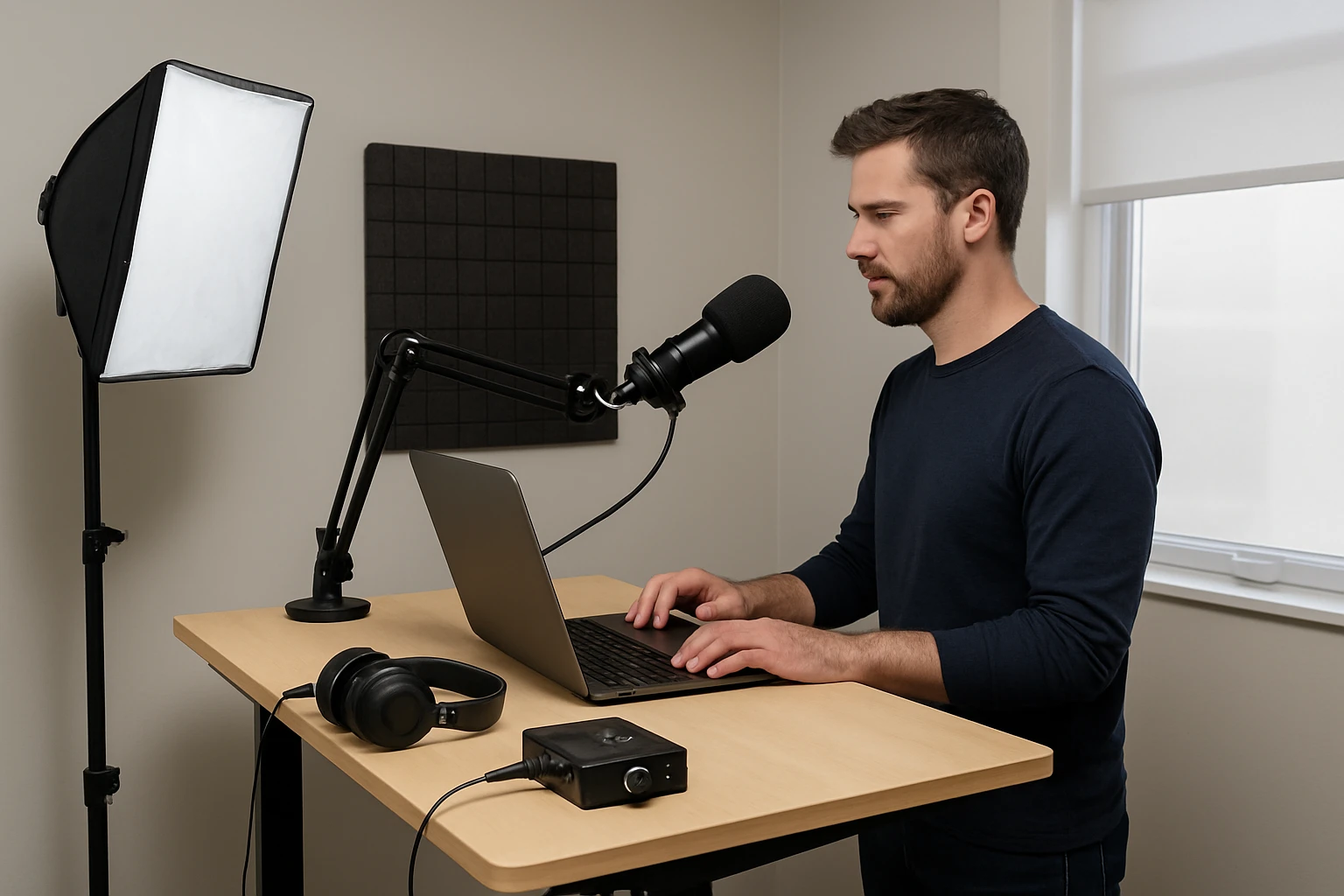
Introduction
Podcasting from a standing desk in a compact space presents unique challenges and opportunities. This guide explains how to design an efficient, ergonomic, and acoustically balanced workstation. Readers will learn essential background concepts, recommended gear, layout strategies, and practical tips for optimal sound quality. The article also provides a comparison of key products and answers common questions, enabling anyone to create a professional podcasting environment without excessive expense.
Background and Context
Standing desks promote healthier posture and increased energy during long recording sessions. However, limited floor area can amplify unwanted reflections and restrict equipment placement. Understanding the principles of room acoustics, microphone positioning, and ergonomic alignment is essential before selecting hardware. Sound waves behave differently in small rooms, often creating flutter echoes that degrade vocal clarity. By addressing these factors early, one can avoid costly retrofits later.
Ergonomic Desk Selection and Layout
Choosing a desk that adjusts smoothly between seated and standing heights ensures comfort during multi‑hour recordings. The work surface should accommodate a laptop, audio interface, and a sturdy microphone arm without crowding the floor. Position the desk so that the monitor is at eye level, approximately an arm’s length away, reducing neck strain. Keep cables organized using clips or built‑in management channels to prevent accidental tugging that could disturb microphone placement.
- Desk height range: 24‑50 inches for most adult users.
- Surface depth: at least 30 inches to allow microphone arm extension.
- Weight capacity: 150 lb to support additional gear such as a monitor arm.
When arranging the room, place the desk away from reflective surfaces such as windows or bare walls. A corner location can be beneficial if acoustic panels are installed on the two adjacent walls, creating a triangular absorption zone.
Microphone Placement and Arm Solutions
A stable, adjustable microphone arm prevents desk clutter and allows precise positioning of the microphone relative to the speaker’s mouth. The FIFINE Boom Microphone Arm BM88 offers an all‑metal construction that resists wobble even under vigorous movement. Its low‑profile design extends beneath the monitor, preserving an unobstructed view while keeping the microphone within a comfortable 6‑12 inch distance.
Key specifications include a 29‑inch maximum extension, 220‑degree vertical tilt, and 360‑degree horizontal rotation. The arm incorporates cable management channels, reducing visual noise on the desk. It ships with three screw adapters (1/4", 3/8", 5/8") compatible with most studio microphones, eliminating the need for additional hardware. With a 4.5‑star rating from over 4,300 reviewers, users praise its durability and ease of assembly.
Installation involves clamping the C‑mount to the desk edge; the clamp grips firmly without damaging the surface. Once attached, the arm can be positioned under the monitor, allowing the microphone to hover directly in front of the speaker’s mouth. This arrangement minimizes plosive noise and maintains consistent distance, which is critical for reliable gain settings.
Acoustic Treatment for Small Rooms
In a confined environment, untreated surfaces cause reflections that muddy vocal recordings. Strategic placement of acoustic panels absorbs mid‑range frequencies, reduces flutter echo, and improves overall intelligibility. Two complementary products address different aesthetic and performance needs.
The UMIACOUSTICS Walnut Acoustic Panels feature a wood‑looking veneer over 100 % polyester fiber, providing both visual appeal and effective absorption. Each panel measures 47.2 × 23.6 inches, covering a substantial surface area with a single unit. Rated 4.5 stars by 315 reviewers, users highlight the panels’ ease of installation using adhesive, nails, or double‑sided tape. Their decorative finish blends seamlessly with home office décor, making them suitable for visible wall sections.
For a budget‑friendly, high‑density solution, the Dmsky Acoustic Panels 18‑Pack deliver 12 × 12 inch tiles that can be arranged in various patterns. Constructed from polyester fiber with a 45° chamfered edge, these panels eliminate gaps during installation, ensuring uniform absorption. They include a peel‑and‑stick adhesive backing, allowing rapid deployment without additional tools. With a 4.1‑star rating from 3,585 reviewers, they are praised for their lightweight design (0.3 lb each) and effective reduction of reverberation in home studios.
When treating a small room, place panels at the first reflection points—typically the side walls at ear height and the rear wall opposite the desk. Combine the larger walnut panels on the primary wall and the smaller Dmsky tiles on secondary surfaces for balanced coverage. This hybrid approach maximizes both aesthetic integration and acoustic performance.
Comparison and Selection Guide
| Feature | FIFINE Boom Arm BM88 | UMIACOUSTICS Walnut Panels | Dmsky 18‑Pack Tiles |
|---|---|---|---|
| Primary Function | Microphone positioning | Large‑format wall absorption | Modular high‑density absorption |
| Material | All‑metal construction | Polyester fiber + wood‑look veneer | Polyester fiber, 45° chamfered edges |
| Dimensions | 29‑inch extension, 220° tilt | 47.2 × 23.6 in | 12 × 12 in each |
| Price (USD) | 56.99 | 118.99 (6‑pack) | 32.99 (18‑pack) |
| Rating | 4.5/5 (4,358 reviews) | 4.5/5 (315 reviews) | 4.1/5 (3,585 reviews) |
| Installation | Clamp‑on C‑mount, cable management | Adhesive, nails, or double‑sided tape | Peel‑and‑stick backing |
| Best For | Precise mic placement on standing desks | Visible decorative acoustic treatment | Cost‑effective coverage of multiple surfaces |
Readers should assess room size, aesthetic preferences, and budget when selecting between these options. The boom arm is indispensable for ergonomic microphone placement, while the panels address acoustic shortcomings. Combining the three products yields a comprehensive solution for most small‑room podcasting setups.
Best Practices and Tips
- Calibrate microphone gain with the arm fully extended to avoid clipping when the speaker moves.
- Use a pop filter attached to the boom arm to reduce plosives without altering mic distance.
- Place acoustic panels at ear height and on the wall directly behind the speaker to absorb rear‑ward reflections.
- Maintain a consistent recording schedule to allow the room temperature and humidity to stabilize, which can affect acoustic performance.
- Periodically check the desk clamp and panel adhesives for loosening, especially in high‑traffic areas.
In addition to hardware, software settings such as noise gating and equalization can further enhance clarity. Record a short test clip after each adjustment to verify improvements before commencing full episodes.
Frequently Asked Questions
- How far should the microphone be from my mouth?
- Maintain a distance of 6‑12 inches, adjusting the boom arm angle to keep the capsule slightly off‑axis to reduce breath noise.
- Do I need to treat the ceiling as well?
- Ceiling treatment is optional in very small rooms; a few strategically placed tiles can prevent flutter echo if the ceiling is reflective.
- Can I use the walnut panels without nails?
- Yes, the panels include a strong adhesive backing; however, for permanent installations, nails or double‑sided tape provide additional security.
- Will the Dmsky tiles damage my walls when removed?
- The peel‑and‑stick adhesive is designed to release cleanly; applying gentle heat with a hair dryer eases removal without harming most painted surfaces.
- Is a separate shock mount necessary with the FIFINE arm?
- A shock mount can further isolate vibrations, but the arm’s sturdy metal construction already minimizes mechanical noise for most desktop environments.
Conclusion
Creating a high‑quality podcasting environment on a standing desk within a small room requires thoughtful integration of ergonomics, acoustic treatment, and reliable hardware. By selecting the FIFINE Boom Microphone Arm BM88, installing decorative UMIACOUSTICS Walnut Acoustic Panels, and supplementing with budget‑friendly Dmsky Acoustic Tiles, podcasters can achieve clear audio, comfortable posture, and an aesthetically pleasing workspace. The guidelines presented herein empower creators to make informed decisions and produce professional‑grade content regardless of spatial constraints.
Products Featured in This Guide
FIFINE Boom Microphone Arm BM88
Price: $56.99 | Rating: 4.5/5 (4,358 reviews)
Featured for its sturdy all‑metal construction, low‑profile design, and extensive adjustability, making it ideal for standing‑desk podcast setups.
UMIACOUSTICS Walnut Acoustic Panels
Price: $118.99 (6‑pack) | Rating: 4.5/5 (315 reviews)
Featured for its decorative wood‑look veneer and high‑quality polyester fiber core, providing effective mid‑frequency absorption while enhancing room aesthetics.
Dmsky Acoustic Panels 18‑Pack
Price: $32.99 (18‑pack) | Rating: 4.1/5 (3,585 reviews)
Featured for its affordable high‑density tiles with 45° chamfered edges, offering flexible placement and easy peel‑and‑stick installation for comprehensive acoustic treatment.