Prevent Standing Desk Battery & Motor Fires in Your Apartment: The Essential Safety Guide
Introduction
This guide explains how standing‑desk users can minimise the risk of battery and motor fires in small living spaces. Readers will learn the underlying causes of electrical fires, practical maintenance habits, and how to select reliable surge‑protection devices. The article also highlights three highly rated Amazon products that complement a safe desk setup. By following the recommendations, one can enjoy the ergonomic benefits of a standing desk without compromising apartment safety.
Background / Context
Standing desks rely on electric motors and, in many models, integrated lithium‑ion batteries to enable smooth height adjustments. Both components store and draw significant power, making them vulnerable to overload, short‑circuit, or thermal runaway if not properly protected. In apartments, limited ventilation and close proximity to walls can exacerbate heat buildup, turning a minor fault into a serious fire hazard. Understanding voltage, amperage, and surge‑protection principles provides the foundation for effective risk mitigation.
Understanding Fire Risks in Standing Desk Motors
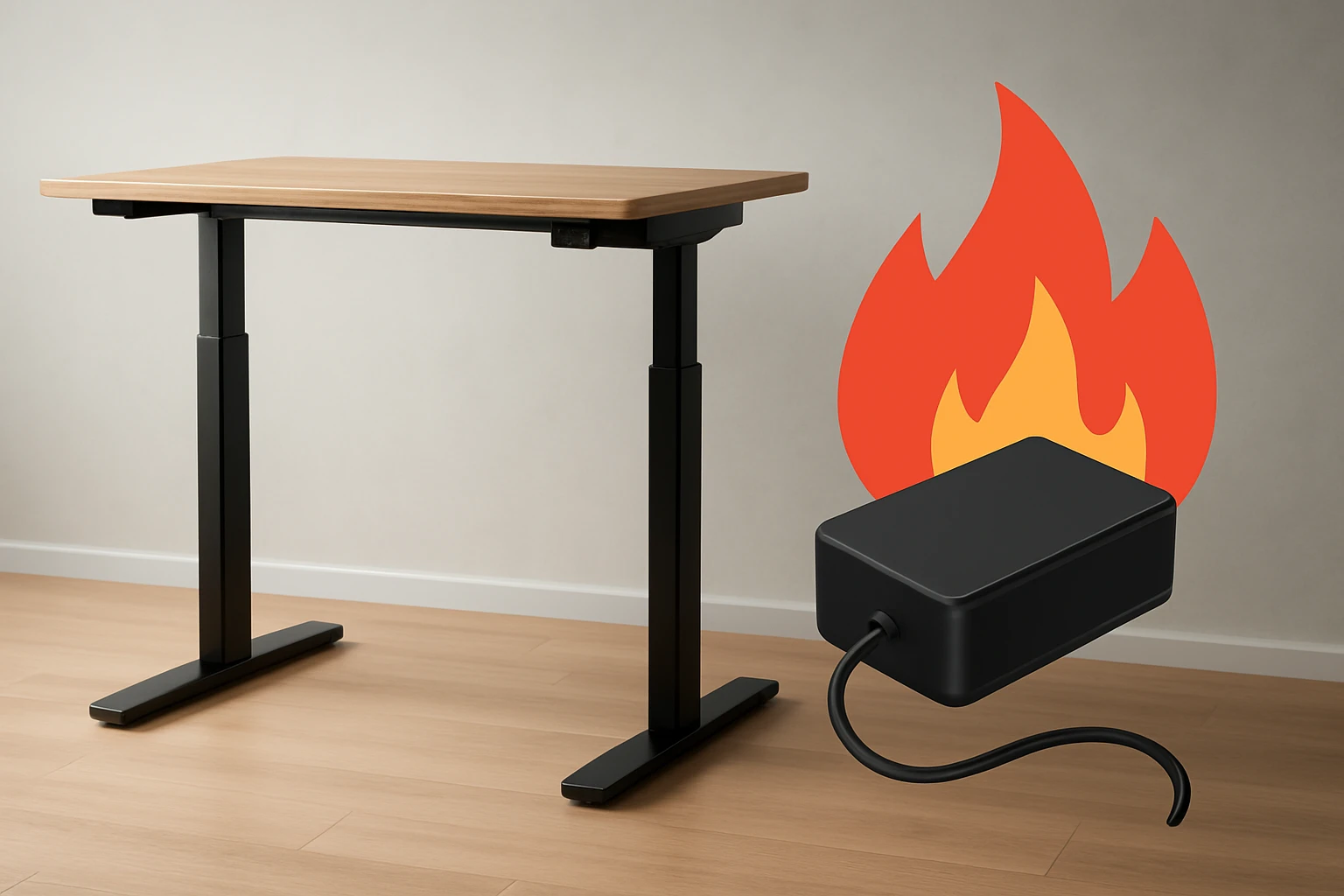
Motor failures often stem from prolonged over‑current conditions, which can cause winding insulation to melt and spark. When a motor draws more than its rated 15 A, the internal temperature may exceed safe limits, especially if dust accumulates on heat‑sinks. Battery fires typically arise from over‑charging, deep discharge, or exposure to high voltage spikes that compromise cell separators. Both scenarios generate heat that, in confined apartment spaces, can ignite surrounding materials such as carpet or wall coverings.
Electrical Safety Fundamentals
Every electrical device should be protected by a surge protector that limits voltage spikes to safe thresholds, usually below 200 V. A device rated with a Joule (J) rating indicates how much energy it can absorb before failing; higher values provide better protection. Over‑current protection, often built into surge protectors as circuit breakers, cuts power when current exceeds a preset limit. Ground‑fault circuit interrupters (GFCIs) further safeguard against leakage currents that could otherwise cause sparks.
Choosing Surge Protectors for Desk Motors
When selecting a surge protector for a standing desk, three criteria dominate: sufficient outlet count for all peripherals, adequate total wattage capacity, and fast‑charging USB ports for mobile devices. The product should also feature a low‑profile flat plug to fit behind furniture without obstructing airflow. Below are three Amazon‑listed options that satisfy these requirements while offering additional convenience features.
Desk‑Clamp Power Strip Recommendation
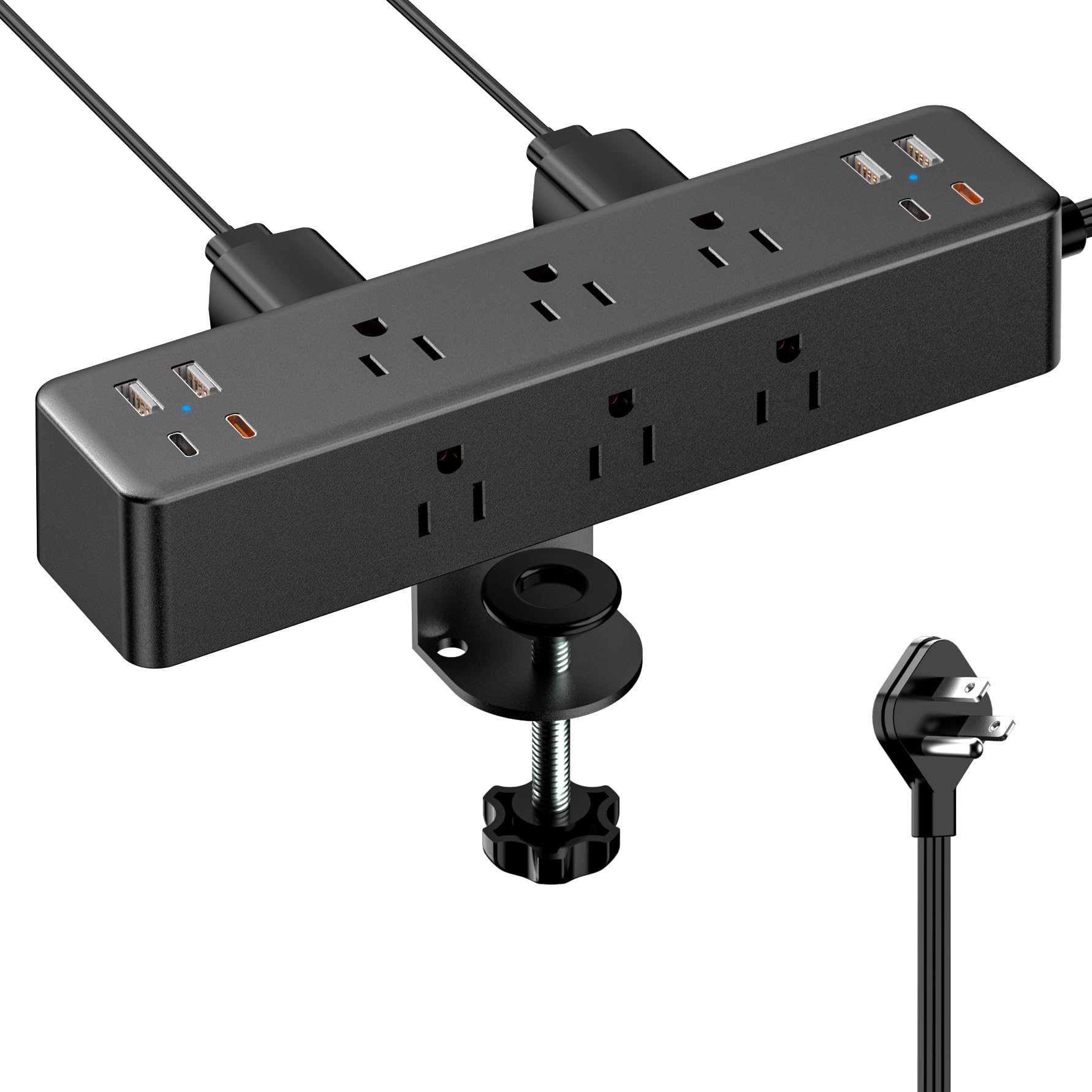
The Acozvin Desk Clamp Surge Protector provides a 17‑in‑1 configuration, combining nine AC outlets (1875 W, 15 A) with eight USB ports, including dual 20 W PD‑C USB‑C fast chargers. Its 10 ft ultra‑thin flat plug and clamp‑mount design keep cables tidy and maintain ventilation around the desk motor. With a 4.8‑star rating from 842 reviews, users praise its sturdy construction and ease of installation.
Wall‑Mount Power Strip Recommendation
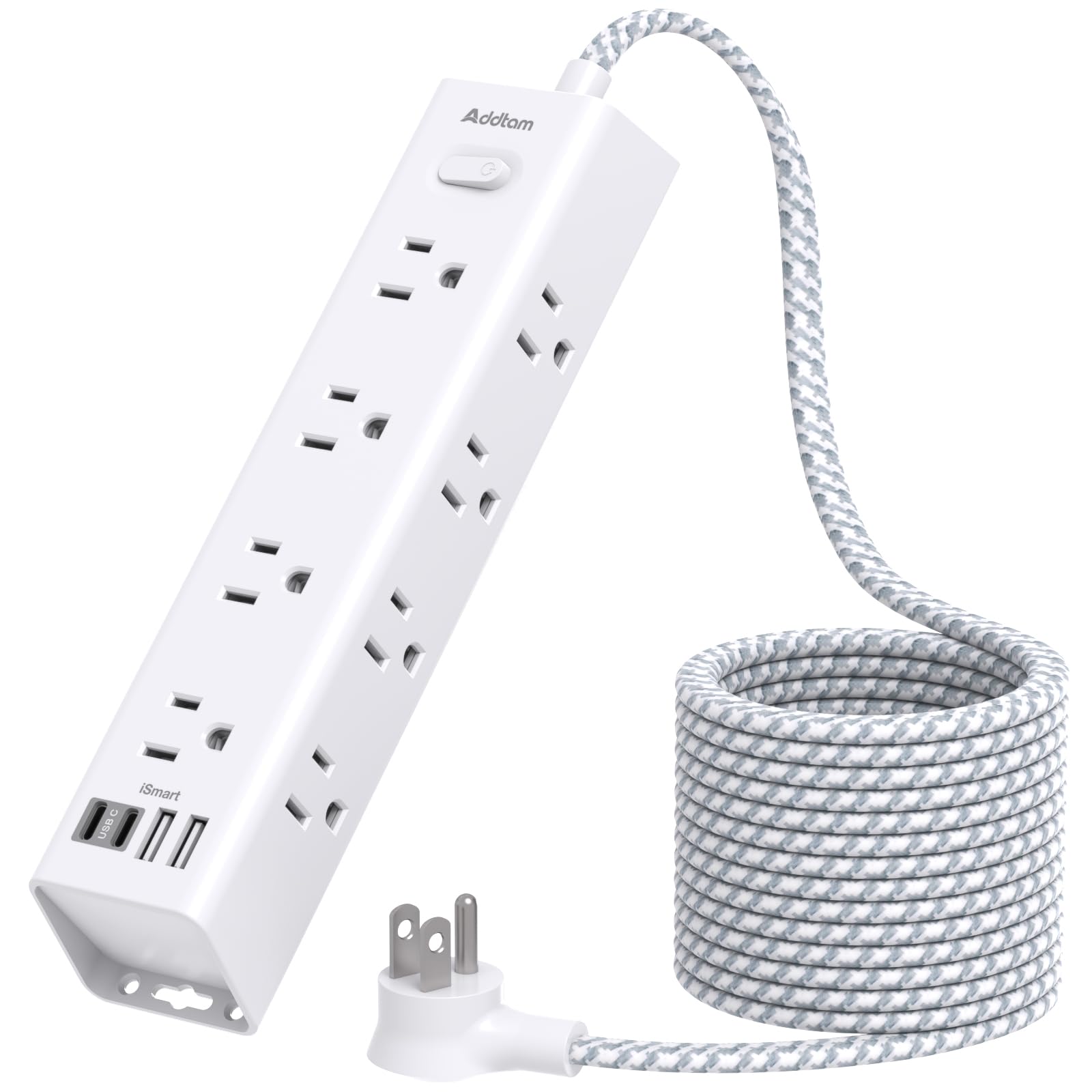
The Addtam 10FT Power Strip with USB offers 12 widely spaced AC outlets and four USB ports, delivering 1875 W total power. Its 10 ft flat extension cord and 45° right‑angle plug enable placement behind sofas or wardrobes, preserving clear airflow around the desk’s motor. The product carries a 4.8‑star rating from 5,633 reviews and includes overload, short‑circuit, and over‑voltage protection.
Dual‑Layer Desk Power Strip Recommendation
The VILONG Dual Layer Desk Power Strip features ten AC outlets and three USB ports, including a 20 W USB‑C fast charger, housed in a fire‑resistant ABS enclosure with a 700‑Joule surge rating. Its dual‑layer clamp allows placement both under and on the desktop, providing flexible power access while keeping cords away from the motor’s heat source. It holds a 4.4‑star rating from 683 reviews.
Comparison / Selection Guide
| Feature | Acozvin Desk Clamp | Addtam 10FT Power Strip | VILONG Dual Layer |
|---|---|---|---|
| AC Outlets | 9 (1875 W) | 12 (1875 W) | 10 (1500 W) |
| USB Ports | 8 (4 C, 4 A, 40 W total) | 4 (5 V/2.4 A each, 3 A total) | 3 (1 C 20 W, 2 A) |
| Joule Rating | Not specified (standard) | 1050 J | 700 J |
| Mount Type | Desk‑edge clamp | Wall‑mount screws | Desk‑clamp dual‑layer |
| Extension Cord Length | 10 ft | 10 ft | 6 ft |
| Price (USD) | $24.29 | $19.99 | $32.99 |
| Rating | 4.8/5 (842 reviews) | 4.8/5 (5,633 reviews) | 4.4/5 (683 reviews) |
For users who prioritise maximum USB‑C fast charging and a seamless desk‑edge installation, the Acozvin model is optimal. Those needing more AC outlets and a wall‑mounted solution should consider the Addtam strip. The VILONG unit excels for desks requiring under‑desk power distribution and a higher surge‑absorption rating.
Best Practices & Tips
- Inspect cords regularly for fraying or discoloration; replace any damaged cables immediately.
- Position surge protectors so that heat generated by the desk motor can dissipate freely; avoid covering them with blankets or clothing.
- Never overload a single outlet; distribute devices across multiple sockets to keep current draw below the strip’s 15 A limit.
- Enable the built‑in power‑off switch on surge protectors during extended periods of inactivity to reduce idle heating.
- Use a dedicated outlet for the desk motor whenever possible, separating it from high‑draw peripherals such as printers or space heaters.
- Schedule quarterly cleaning of the motor housing to remove dust that can act as an insulator and trap heat.
- When using battery‑backed desks, follow the manufacturer’s recommended charging cycle and avoid leaving the battery at 100 % for prolonged periods.
FAQ
- Can a standard surge protector prevent a battery fire?
- While a surge protector cannot stop a battery that fails due to internal defects, it can block external voltage spikes that might trigger thermal runaway. Combining a quality protector with proper charging habits offers the best defense.
- How often should I replace a surge protector?
- Most manufacturers recommend replacement every 3‑5 years, or sooner if the indicator light shows a fault. The Joule rating degrades over time as it absorbs energy from surges.
- Is a flat‑plug design important for safety?
- Yes. A flat plug reduces the distance between the wall outlet and the desk, minimising the space where heat can accumulate and preventing accidental snagging that could expose live conductors.
- Do I need a separate UPS for my standing desk?
- A UPS provides backup power and additional surge protection, but it is not mandatory if the desk is connected to a reliable surge‑protected outlet. Choose a UPS only if you require uninterrupted operation during outages.
- Can I install the clamp‑mount strip on a glass tabletop?
- No. The clamp requires a solid edge of up to 1.7 inches thickness; glass surfaces lack the necessary grip and could crack under pressure.
- What temperature is considered unsafe for a desk motor?
- Most motors are rated for continuous operation up to 70 °C (158 °F). If surface temperature exceeds this during normal use, it indicates a potential overload or ventilation issue.
Conclusion
Preventing standing‑desk battery and motor fires hinges on a combination of informed maintenance, appropriate surge protection, and thoughtful placement of power accessories. By selecting a surge protector that matches the desk’s power demands—such as the Acozvin Desk Clamp Surge Protector, Addtam 10FT Power Strip with USB, or VILONG Dual Layer Desk Power Strip—one can significantly reduce the likelihood of electrical faults. Regular cleaning, avoiding over‑loading, and adhering to manufacturer charging guidelines complete the safety framework, allowing residents to reap the health benefits of a standing desk without compromising apartment safety.
Products Featured in This Guide

Acozvin Desk Clamp Surge Protector
Price: $24.29
Rating: 4.8/5 (842 reviews)
Featured for its 17‑in‑1 configuration, dual 20 W USB‑C fast charging, and desk‑edge clamp that keeps cords organised and airflow unobstructed.

Addtam 10FT Power Strip with USB
Price: $19.99
Rating: 4.8/5 (5,633 reviews)
Featured for its 12 widely spaced AC outlets, 10 ft flat extension cord, and comprehensive overload and surge protection suitable for wall‑mounted installations.

VILONG Dual Layer Desk Power Strip
Price: $32.99
Rating: 4.4/5 (683 reviews)
Featured for its fire‑resistant ABS housing, 700‑Joule surge rating, and dual‑layer clamp that supports both under‑desk and desktop power distribution.
Frequently Asked Questions
What are the most common causes of standing‑desk battery and motor fires?
Overloads, short‑circuits, and thermal runaway from damaged lithium‑ion cells or motor components are the primary triggers.
How can I maintain my standing desk to reduce fire risk?
Regularly clean dust, inspect cords for wear, avoid covering vents, and follow the manufacturer’s firmware updates.
What kind of surge‑protection device should I use for a standing desk in an apartment?
Choose a UL‑listed surge protector with at least 2,000 joules rating and built‑in EMI/RFI filtering for continuous power protection.
What warning signs indicate my standing desk battery or motor may be failing?
Unusual heat, buzzing noises, flickering lights, or a sudden loss of height‑adjustment capability signal potential problems.
Which Amazon products are recommended to enhance standing‑desk safety?
Highly rated options include a 2,000‑joule surge protector, a fire‑resistant desk mat, and a smart plug with overload shut‑off.