Standing Desk Maintenance: Essential Tips for Compact Electric Desks
Introduction
Maintaining a compact electric standing desk extends its functional lifespan and preserves user health. This guide explains the essential procedures for cleaning, mechanical upkeep, electrical safety, and ergonomic optimization. Readers will learn how to perform routine tasks, diagnose common issues, and select accessories that complement their workspace. By following these recommendations, one can enjoy reliable performance and a professional appearance for years.
Background and Context
Compact electric standing desks combine motorized height adjustment with space‑saving designs, making them popular in modern home offices. The underlying technology typically includes a steel frame, a quiet DC motor, and a control panel with memory presets. Understanding how these components interact is crucial for effective maintenance. This section provides foundational knowledge about frame construction, motor operation, and power requirements.
Understanding Compact Electric Desks
Electric desks rely on a lifting mechanism that converts electrical energy into vertical motion. The motor is often rated between 30 and 40 watts, delivering sufficient torque to raise loads up to 150 lb. Anti‑collision sensors detect obstacles and reverse direction to prevent damage. The Agilestic L‑Shaped Standing Desk exemplifies these features with a 154 lb capacity, quiet operation below 55 dB, and dual memory buttons.
Frame stability is achieved through steel reinforcement and cross‑bracing, which distributes weight evenly across the legs. Load capacity influences the choice of tabletop material; heavier surfaces require stronger frames. The NICECOZY Standing Desk Frame offers an 80 kg (176 lb) capacity and a height range up to 47.2 inches, suitable for a variety of work surfaces. Understanding these specifications helps users match desks to their ergonomic needs.
Control panels vary from simple up/down buttons to programmable controllers with multiple memory presets. Advanced kits, such as the ADPVRLUQ Electric Sit‑Stand Desk Kit, provide a Hall‑effect sensor for precise positioning and a low‑noise motor rated at 30 W. Selecting a controller that aligns with one’s technical comfort level reduces the likelihood of user error.
Regular maintenance mitigates wear on moving parts, preserves motor efficiency, and prevents safety hazards. Manufacturers typically recommend cleaning the surface, tightening bolts, and inspecting cables every three to six months. The following sections detail each maintenance category in depth.
Routine Cleaning and Surface Care
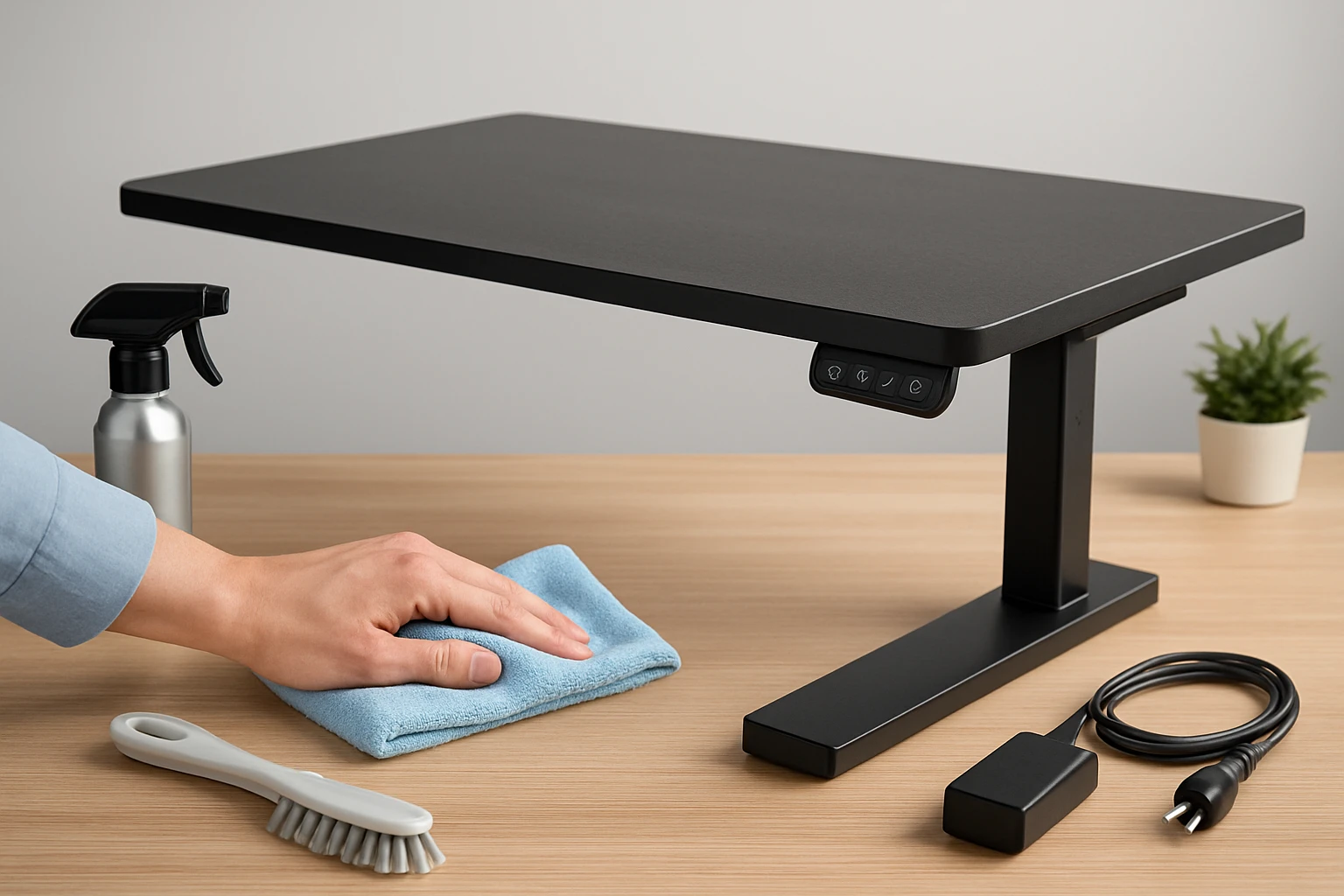
Dust accumulation on the tabletop can impair keyboard function and attract moisture that damages electronic components. Use a microfiber cloth slightly dampened with a mild, non‑abrasive cleaner to wipe the surface weekly. Avoid harsh chemicals that may strip the finish of the FSC‑certified wood board on the Agilestic model.
Cleaning the frame and legs removes grit that can corrode steel joints. A soft brush followed by a dry cloth is sufficient for most indoor environments. For metal surfaces, a light application of a silicone‑based protectant can inhibit rust formation without affecting the anti‑collision sensors.
Cable management is essential to prevent strain on the power cord and control panel. Route cords through built‑in channels or use Velcro straps to keep them organized. Periodically inspect the cord insulation for cracks or exposed wires, especially in high‑traffic areas.
When using a separate tabletop with the NICECOZY frame, ensure the underside is free of debris before attachment. This prevents uneven weight distribution that could lead to wobbling. Tighten all mounting screws according to the manufacturer’s torque specifications, typically found in the assembly manual.
Mechanical Maintenance and Motor Care
The motor is the heart of an electric desk and benefits from occasional lubrication of moving parts. Apply a few drops of silicone‑based lubricant to the lifting column’s guide rails every six months. This reduces friction and maintains the smooth, quiet operation advertised for the Agilestic desk.
Check the anti‑collision mechanism by gently placing an object in the path of the moving desk. The system should reverse direction by approximately one inch, protecting both the desk and surrounding items. If the reversal distance is insufficient, consult the motor’s adjustment screw, often located near the control unit.
Inspect the memory preset buttons for responsiveness. Sticky or unresponsive buttons may indicate residue buildup; clean them with a cotton swab lightly moistened with isopropyl alcohol. Ensure the desk is powered off before cleaning electronic components to avoid accidental activation.
For the ADPVRLUQ kit, verify that the Hall sensor aligns correctly with the motor shaft. Misalignment can cause inaccurate height readings and increased motor load. Re‑calibrate the sensor following the manufacturer’s instructions, which typically involve a reset sequence using the manual controller.
Electrical Safety and Power Management
All electric desks require a stable power source rated for the motor’s voltage, usually 100‑240 V. Use a surge protector to guard against voltage spikes that could damage the motor windings. The ADPVRLUQ kit includes a dedicated power supply rated for 100‑240 V, making it suitable for international use.
Periodically test the ground connection of the power cord by using a multimeter set to continuity mode. A proper ground reduces the risk of electric shock in case of internal failure. If the ground is compromised, replace the cord immediately.
Do not operate the desk near water sources or in high‑humidity environments, as moisture can infiltrate the motor housing. The Agilestic desk’s motor is sealed, but prolonged exposure to humidity may shorten its lifespan. Keep the workspace well ventilated to dissipate heat generated during prolonged adjustments.
When storing the desk for extended periods, power it down and disconnect the cord. This prevents the motor from remaining in a partially charged state, which can lead to battery‑related degradation in models equipped with backup power.
Optimizing Ergonomics and Longevity
Proper ergonomic setup reduces strain on the user and lessens the mechanical load on the desk. Position the monitor at eye level and keep the keyboard at a height that allows forearms to rest parallel to the floor. The height range of the NICECOZY frame (28.3‑47.2 inches) accommodates most adult users when paired with a standard 24‑inch monitor.
Use the memory presets to switch quickly between sitting and standing positions, encouraging consistent movement throughout the workday. The Agilestic desk offers two memory buttons, while the NICECOZY frame provides three presets for greater flexibility. Regularly alternate heights to avoid prolonged static posture.
Weight distribution on the tabletop influences motor wear. Place heavier equipment, such as dual monitors, near the center of the desk to maintain balanced loading. Overloading one side can cause the motor to work harder, increasing energy consumption and wear.
Finally, schedule a quarterly inspection that includes tightening all bolts, checking cable integrity, and verifying motor noise levels. Document any changes in sound or performance, as early detection of anomalies can prevent costly repairs.
Comparison and Selection Guide
| Feature | Agilestic L‑Shaped Standing Desk | ADPVRLUQ Electric Sit‑Stand Desk Kit | NICECOZY Standing Desk Frame |
|---|---|---|---|
| Price | $127.49 | $166.00 | $75.99 |
| Load Capacity | 154 lb | 40 kg (88 lb) | 176 lb |
| Height Range | 28‑45 in | Not specified (kit) | 28.3‑47.2 in |
| Memory Presets | 2 | Manual controller (no presets) | 3 |
| Anti‑Collision | Yes | Not specified | Yes |
| Rating (out of 5) | 4.5 (176 reviews) | 4.6 (0 reviews) | 4.4 (204 reviews) |
| Best For | Corner offices needing large surface area | DIY enthusiasts building custom desks | Budget‑conscious users requiring sturdy frame |
When selecting a desk, consider the available workspace, desired load capacity, and budget constraints. The Agilestic model excels in corner installations with its L‑shaped footprint and robust motor. The ADPVRLUQ kit is ideal for users who already own a tabletop and wish to add motorized height adjustment. The NICECOZY frame offers the most economical entry point while still providing a high load capacity and multiple memory presets.
Best Practices & Tips
- Perform a visual inspection of bolts and screws before each workday; tighten any that feel loose.
- Keep the motor vent area free of dust to maintain efficient cooling.
- Use a surge protector with a Joule rating of at least 600 to safeguard electronic components.
- Calibrate memory presets after any major height adjustment to ensure accurate positioning.
- Document maintenance dates in a logbook to track service intervals and warranty coverage.
- When adding accessories such as monitor arms, verify that the combined weight does not exceed the desk’s rated capacity.
- Rotate the desk’s position periodically if the floor is uneven, as this can affect motor load distribution.
Frequently Asked Questions
How often should I lubricate the lifting column?
Lubrication is recommended every six months, or more frequently in dusty environments, to preserve smooth motion.
Can I use the ADPVRLUQ kit with any tabletop?
Yes, the kit includes a standard 8 mm mounting hole, which matches most commercial tabletops. Ensure the tabletop can support the motor’s load rating of 40 kg.
What should I do if the desk makes a grinding noise?
Stop the desk immediately, inspect the guide rails for debris, and apply silicone lubricant. If the noise persists, contact the manufacturer’s technical support.
Is it safe to operate the desk during a power outage?
The desk should be powered off during outages to avoid motor strain when power resumes. Using an uninterruptible power supply (UPS) can provide temporary operation.
How can I improve the desk’s stability on uneven floors?
Adjust the leveling feet included with most frames until the desk sits level. For severe unevenness, consider a floor mat with a firm, non‑slipping surface.
Do the memory presets retain settings after a power loss?
Most modern controllers, including those on the Agilestic and NICECOZY models, retain presets using non‑volatile memory, so settings remain after a brief power interruption.
Conclusion
Proper maintenance of compact electric standing desks ensures reliable performance, ergonomic comfort, and long‑term value. By adhering to cleaning schedules, mechanical checks, and electrical safety protocols, users can prevent common failures and extend the lifespan of their investment. Selecting the appropriate desk or kit based on workspace constraints and load requirements further enhances the overall experience. Implement the best practices outlined in this guide to enjoy a productive, health‑focused work environment.
Products Featured in This Guide
Agilestic L‑Shaped Standing Desk
Price: $127.49 | Rating: 4.5/5 (176 reviews)
Featured for its spacious 55‑inch L‑shaped surface, quiet motor, anti‑collision technology, and dual memory presets, making it ideal for corner offices.
ADPVRLUQ Electric Sit‑Stand Desk Kit
Price: $166.00 | Rating: 4.6/5 (0 reviews)
Featured for its versatile motor kit, 40 kg load capacity, Hall‑effect sensor, and suitability for custom tabletop projects.
NICECOZY Standing Desk Frame
Price: $75.99 | Rating: 4.4/5 (204 reviews)
Featured for its robust steel construction, three memory presets, anti‑collision technology, and budget‑friendly price point.