Introduction
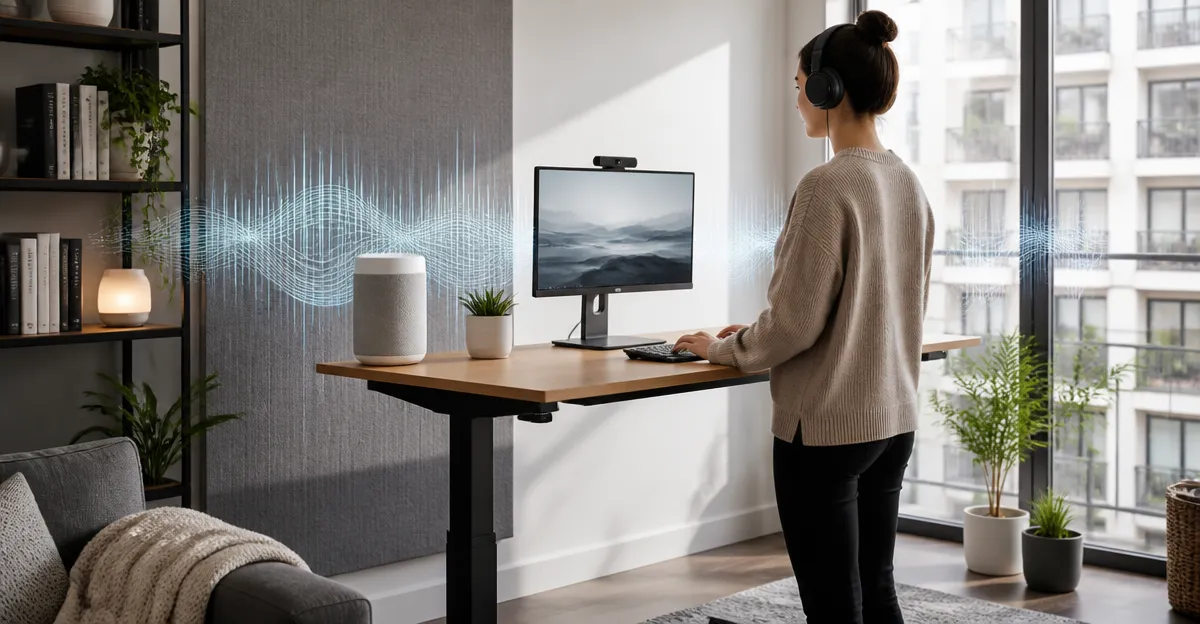
Working at a standing desk in an apartment often presents a unique acoustic challenge. Open‑plan living spaces, thin walls, and shared amenities can allow conversations, street traffic, and household sounds to intrude on concentration. This guide explains the science of sound masking, presents practical strategies for reducing unwanted noise, and recommends four highly rated sound‑masking devices that complement a standing‑desk setup. Readers will learn how to evaluate their acoustic environment, select the most suitable device, and implement best‑practice habits for sustained privacy and productivity.
Background and Context
Sound masking involves introducing a low‑level, broadband audio signal that reduces the intelligibility of disruptive noises. Unlike white noise, which is a single frequency band, effective masking blends multiple natural sounds to create a soothing soundscape that the brain perceives as background. In an apartment, the goal is to raise the ambient noise floor just enough to hide speech and sudden spikes without becoming a distraction itself. Understanding concepts such as signal‑to‑noise ratio, frequency range, and psychoacoustic masking is essential before investing in a device.
Standing desks raise the user’s ear level, which can change the way sound reaches the ears compared with seated work. Higher ear placement often reduces low‑frequency reverberation from floor‑borne vibrations, but it can also expose the listener to more direct airborne noise from neighboring rooms. Therefore, a sound‑masking solution must provide adjustable volume and directional output to suit the elevated listening position.
Key Concepts and Strategies for Sound Masking
Effective sound masking begins with a thorough assessment of the acoustic environment. Measure the typical background level during work hours using a smartphone decibel app; most office‑type tasks thrive at 40‑50 dB(A). If the measured level is lower, a masking device set to 45‑50 dB(A) can fill the gap without overwhelming the user. Choose a device that offers multiple sound profiles, because different tasks—writing, video calls, or deep focus—benefit from distinct acoustic textures.
Positioning the speaker is equally important. A forward‑facing driver that directs sound toward the user, rather than dispersing it throughout the room, reduces the risk of disturbing roommates. Many modern sound‑masking machines incorporate a tilt‑adjustable speaker that aligns with the user’s hand or wrist while seated or standing, allowing hands‑free operation.
Timer functions and memory settings help maintain consistency. Automatic shut‑off after a predetermined interval prevents the device from running all night, conserving energy and extending battery life for portable units. Memory recall ensures that preferred sound, volume, and timer settings are instantly restored after power cycles, eliminating the need for repeated adjustments.
Choosing the Right Sound‑Masking Device for a Standing Desk
When selecting a device, consider three primary criteria: acoustic performance, portability, and aesthetic integration with the standing‑desk workspace. Acoustic performance includes the number of sound options, volume granularity, and speaker directionality. Portability matters for users who move their desk between rooms or work from a co‑working space. Aesthetic integration ensures the device complements the desk’s design, especially in modern home offices where visual clutter can be distracting.
Below are four products that satisfy these criteria, each highlighted for a specific use case.
Housbay Wood Grain Noise Machine
The Housbay Wood Grain Noise Machine offers 31 nature‑based soundscapes recorded from real environments, providing a genuine acoustic backdrop. Its forward‑facing speaker delivers sound directly to the user, which is ideal for a standing desk where the ear level is higher than average. The device includes an auto‑off timer, adjustable volume with fine granularity, and a 45° tilt that aligns with the natural hand position, allowing effortless control without looking away from the screen. At a price of $27.99 and a rating of 4.6 out of 5 from 18,923 reviews, it balances cost and performance while adding a natural wood texture that blends with contemporary desk aesthetics.
Jaroco Clip‑On Travel Sound Machine
The Jaroco Clip‑On Travel Sound Machine is a compact, clip‑mounted unit that attaches to a desk monitor or the side of a standing‑desk frame. It provides 20 soothing sounds, a USB‑C charging port, and up to 15 hours of battery life, making it suitable for users who need a portable solution that can travel between rooms or be taken on business trips. Its timer function shuts the device off automatically after a chosen interval, and the lack of Bluetooth or Wi‑Fi eliminates potential connectivity distractions. Priced at $14.39 with a 4.7‑star rating from 2,317 reviewers, it offers excellent value for those prioritizing mobility and simplicity.
Vindsbay Rechargeable Travel White Noise Machine
The Vindsbay Rechargeable Travel White Noise Machine stands out for its 2000 mAh battery, delivering up to 52 hours of continuous playback on a single charge. It features 21 non‑looping sounds, 32 volume levels, and a headphone jack for private listening when the surrounding environment requires silence. Its compact, stylish design includes a lanyard for hanging, making it easy to position on the top of a standing‑desk monitor or on a nearby shelf. Although the price is not listed, the device’s high‑capacity battery and versatile connectivity make it a strong candidate for users who need long‑lasting performance without frequent recharging.
SoundLegend Sleep Machine with Color Night Light
The SoundLegend Sleep Machine with Color Night Light combines sound masking with ambient lighting, offering 30 sounds, 32 volume levels, and 12 selectable night‑light colors. Its compact footprint (4.2" × 2.1") fits neatly on a standing‑desk surface, while the memory function recalls the last used sound, volume, timer, and light settings. This device is especially useful for users who prefer a visual cue to signal the transition from work to relaxation, as the soft light can reduce eye strain during evening sessions. The product includes a 365‑day warranty, reinforcing its durability for daily use.
Comparison and Selection Guide
| Feature | Housbay Wood Grain | Jaroco Clip‑On | Vindsbay Rechargeable | SoundLegend Night Light |
|---|---|---|---|---|
| Number of Sounds | 31 (nature‑based) | 20 (white noise variants) | 21 (non‑looping) | 30 (white, pink, fan, lullaby, etc.) |
| Volume Levels | Adjustable (fine granularity) | Adjustable | 32 levels | 32 levels |
| Power Source | AC adapter | USB‑C (15 h battery) | Rechargeable 2000 mAh (up to 52 h) | AC adapter (compact) |
| Timer Options | Multiple auto‑off intervals | Custom timer | 30/60/90 min, 8 h, continuous | 5 preset timers (60‑240 min) + continuous |
| Portability | Desk‑top | Clip‑on, pocket‑size | Hand‑held, lanyard | Desk‑top |
| Price (USD) | $27.99 | $14.39 | Not disclosed | Not disclosed |
| Average Rating | 4.6/5 (18,923 reviews) | 4.7/5 (2,317 reviews) | Not disclosed | Not disclosed |
For users who value aesthetic integration and a forward‑facing speaker, the Housbay model is the most suitable. Those who travel frequently or need a device that clips directly onto a monitor will benefit from the Jaroco Clip‑On. Users requiring ultra‑long battery life for all‑day sessions should consider the Vindsbay Rechargeable model. Finally, individuals who appreciate a combined light‑and‑sound solution for evening wind‑down will find the SoundLegend machine advantageous.
Best Practices and Tips for Implementing Sound Masking at a Standing Desk
- Place the speaker at ear level and tilt it slightly upward to direct sound toward the listener while minimizing reflection off nearby walls.
- Start with a moderate volume (around 45 dB) and adjust in small increments; excessive volume can cause fatigue and defeat the purpose of masking.
- Use timer settings that align with typical work blocks (e.g., 90‑minute Pomodoro cycles) to ensure the device powers down when focus periods end.
- Combine sound masking with physical acoustic treatments such as a rug, bookshelf, or acoustic panels to further reduce reverberation in open‑plan apartments.
- Maintain a consistent sound profile throughout the day; frequent changes in sound type can become a distraction rather than a solution.
When integrating a sound‑masking device with a standing desk, consider cable management. Route power cords through the desk’s built‑in grommets or use a short USB‑C cable to keep the workspace tidy. If the device includes a headphone jack, a pair of high‑quality closed‑back headphones can provide personal masking without affecting roommates.
Frequently Asked Questions
- Do I need a separate power outlet for a sound‑masking device? Most desktop models, such as the Housbay Wood Grain Noise Machine, require an AC adapter, while portable units like the Jaroco Clip‑On and Vindsbay Rechargeable operate on internal batteries that can be recharged via USB‑C.
- Can sound masking improve video‑call audio quality? By raising the ambient noise floor, sound masking reduces the intelligibility of background speech, allowing the microphone to capture the user’s voice more clearly. However, a high‑quality headset is still recommended for optimal call performance.
- Is white noise harmful to hearing? When played at safe listening levels (below 60 dB), white noise does not pose a risk to hearing. All recommended devices include adjustable volume controls to maintain safe exposure.
- How long does the battery last on the Vindsbay Rechargeable Travel White Noise Machine? The 2000 mAh battery can provide up to 52 hours of continuous playback on nature sounds at medium volume, far exceeding the typical workday requirement.
- Can I use these devices in shared living spaces without disturbing others? Forward‑facing speakers and adjustable volume allow the user to limit sound propagation. Devices such as the Housbay and SoundLegend models are designed to focus sound toward the listener, minimizing spill‑over into adjacent rooms.
- Do I need an app to control the sound‑masking device? None of the featured products require a companion app. All controls are physical buttons or tilt‑adjustable interfaces, ensuring straightforward operation without software dependencies.
Conclusion
Effective sound masking transforms a noisy apartment into a focused workspace, especially when paired with a standing desk that raises the ear level and changes acoustic dynamics. By understanding the principles of signal‑to‑noise ratio, selecting a device that matches one’s portability and aesthetic needs, and applying best‑practice placement and volume strategies, users can achieve sustained privacy and reduced distraction. The four products highlighted in this guide each address a specific scenario, from permanent desk integration to on‑the‑go travel, ensuring that every remote worker can find a suitable solution.
Products Featured in This Guide
Housbay Wood Grain Noise Machine
Price: $27.99 | Rating: 4.6/5 (18,923 reviews)
Featured for its forward‑facing speaker, 31 nature‑based soundscapes, tilt‑adjustable control, and aesthetically pleasing wood texture that complements modern standing‑desk setups.
Jaroco Clip‑On Travel Sound Machine
Price: $14.39 | Rating: 4.7/5 (2,317 reviews)
Featured for its compact clip‑on design, 20 soothing sounds, USB‑C charging, and 15‑hour battery life, making it ideal for mobile standing‑desk users.
Vindsbay Rechargeable Travel White Noise Machine
Price: Not disclosed | Rating: Not disclosed
Featured for its 2000 mAh battery delivering up to 52 hours of playback, 21 non‑looping sounds, 32 volume levels, and headphone jack, providing flexibility for long‑day standing‑desk sessions.
SoundLegend Sleep Machine with Color Night Light
Price: Not disclosed | Rating: Not disclosed
Featured for its combination of 30 sound options, 12‑color ambient light, memory function, and compact footprint, supporting both daytime focus and evening wind‑down at a standing desk.