How to Create a Standing Desk Maintenance Log & Warranty Tracker: Step-by-Step Guide with Free Template
Introduction
One often invests in a standing desk to improve ergonomics and productivity, yet many neglect the ongoing care required to keep the desk functioning optimally. This guide will teach the reader how to design a detailed maintenance log and warranty tracker, ensuring that routine inspections, part replacements, and warranty claims are documented systematically. By following the steps, one will gain a reliable reference that reduces downtime, protects the investment, and simplifies communication with manufacturers. The value of this process lies in extending the lifespan of the desk while preserving warranty coverage for unexpected issues.
What You'll Need
- A computer or tablet for creating the digital log (Microsoft Excel, Google Sheets, or a free template).
- Printout paper or a notebook for a physical backup.
- Writing instruments such as pens or markers.
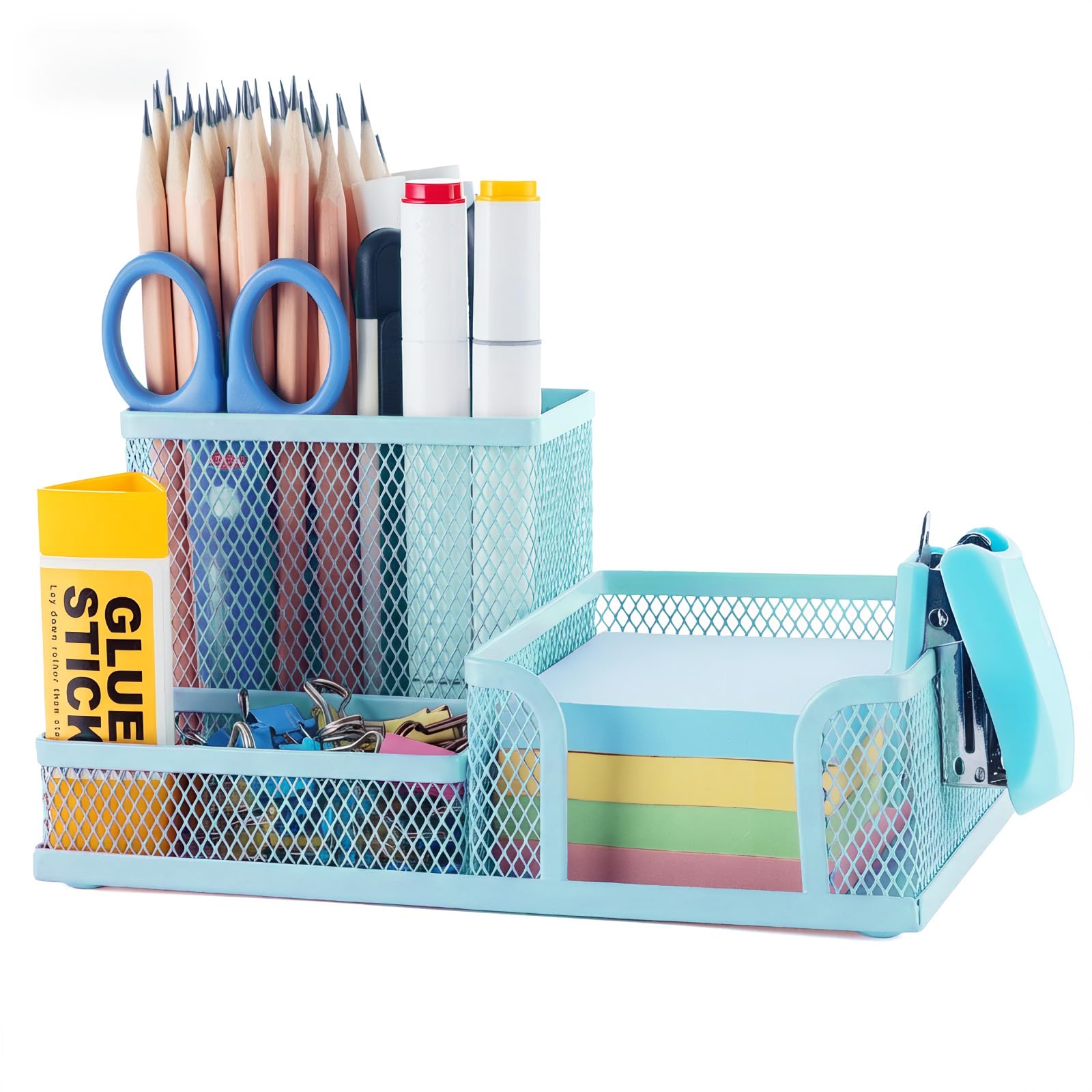
- M&G Mesh Desk Organizer to keep stationery, printed logs, and warranty documents tidy.
- Optional: A label maker for clear categorisation of log sections.
Step 1: Gather Desk Documentation
The first step is to collect all existing paperwork that accompanies the standing desk. This includes the original purchase receipt, warranty card, assembly manual, and any correspondence from the manufacturer. One should scan or photograph each document and store the digital copies in a dedicated folder named StandingDesk_Documents. Keeping these files together prevents the loss of critical warranty information when a claim is needed.
Step 2: Choose a Log Format
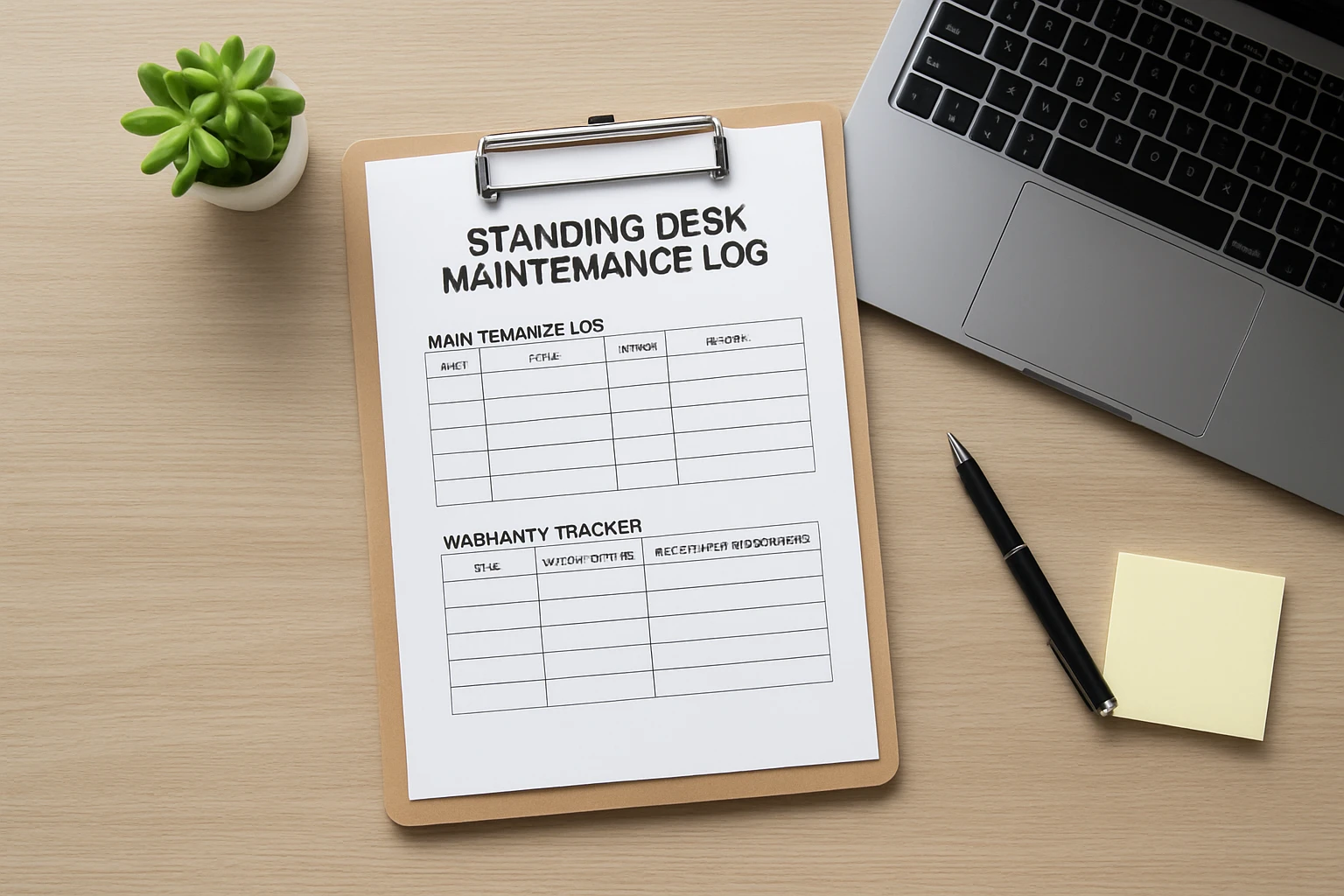
One can either build a custom spreadsheet or download a free template designed for equipment maintenance. For most users, a spreadsheet offers flexibility with date sorting, conditional formatting, and easy sharing. The template should contain columns for Date, Task Performed, Parts Replaced, Service Provider, Cost, Warranty Status, and Notes. By standardising these fields, one creates a consistent record that can be audited at any time.
Step 3: Set Up Your Log Station
Before populating the log, it is helpful to establish a dedicated workspace where the log, writing tools, and printed warranty documents reside. The M&G Mesh Desk Organizer serves this purpose effectively. Its three compartments separate pens, sticky notes, and small parts, while the built‑in sticky‑note holder provides a quick place for reminders. The organizer is constructed from high‑quality metal and mesh, ensuring durability and a non‑scratch surface for any desk. Priced at $12.99 with a 4.8‑star rating from 818 reviews, it offers a cost‑effective solution for keeping the maintenance area orderly.
Step 4: Populate the Digital Log
Open the chosen spreadsheet application and create a new file titled StandingDesk_Maintenance_Log. Populate the header row with the columns identified in Step 2. Then, enter the initial data gathered in Step 1, such as the purchase date, warranty expiration, and any pre‑assembly checks performed. Use consistent date formats (e.g., YYYY‑MM‑DD) to enable automatic sorting. If the desk includes moving parts like a motorised lift, record the initial motor test results to establish a baseline for future comparisons.
Step 5: Schedule Regular Inspections
One should establish a maintenance calendar that aligns with the manufacturer’s recommendations—typically quarterly for moving mechanisms and semi‑annual for structural checks. Add recurring events to a digital calendar (Google Calendar, Outlook) with reminders to perform visual inspections, tighten loose bolts, and lubricate moving components. When an inspection occurs, open the log, create a new row, and note the tasks completed, any observations, and whether corrective action was required.
Step 6: Document Repairs and Parts Replacement
Whenever a component fails or is replaced, record the details in the log immediately. Include the part name, part number (if available), supplier, cost, and the date of installation. Attach a digital receipt to the StandingDesk_Documents folder and reference the file name in the log’s “Notes” column. This practice ensures that warranty claims can be substantiated with proof of purchase and service history.
Step 7: Track Warranty Status
The warranty tracker is a subset of the maintenance log that highlights the remaining coverage for each component. Create a separate sheet within the same workbook titled Warranty Tracker. List each part, its warranty start date, duration (e.g., 2 years), and calculated expiration date using spreadsheet formulas. Conditional formatting can colour‑code rows that are approaching expiration (e.g., orange for 30 days remaining, red for expired). This visual cue prompts proactive replacement before the warranty lapses.
Step 8: Backup and Share
To safeguard against data loss, back up the log to at least two locations: a cloud storage service (Google Drive, OneDrive) and an external USB drive. Additionally, share a read‑only version with household members or office colleagues who may use the desk. By granting access, one ensures that all users can log issues promptly, preserving the integrity of the maintenance record.
Tips & Pro Tips
- Use colour‑coded sticky notes from the M&G Mesh Desk Organizer to flag urgent maintenance tasks on the physical log.
- When lubricating the lift mechanism, apply a silicone‑based lubricant rather than oil to avoid attracting dust.
- Keep a small toolbox within the organizer’s compartment for screwdrivers and Allen keys; this prevents searching for tools during a repair.
- Periodically review the warranty tracker to identify components that are nearing the end of coverage and plan replacements accordingly.
Troubleshooting
Problem: The desk does not raise or lower smoothly.
Solution: Check the power cable for secure connection, then inspect the lift motor for debris. Record the inspection in the log and, if necessary, replace the motor according to the warranty terms.
Problem: Sticky notes fall out of the organizer.
Solution: Ensure the sticky‑note holder is not overloaded; the mesh design holds items best when the weight is evenly distributed. Adjust the load and note the change in the log.
Conclusion
By following this comprehensive guide, one can establish a robust standing desk maintenance log and warranty tracker that protects the investment and enhances productivity. The systematic approach—collecting documentation, selecting a log format, organising a dedicated workspace with the M&G Mesh Desk Organizer, scheduling inspections, and backing up data—creates a reliable record for years to come. Readers are encouraged to download the free template, customise it to their specific desk model, and begin logging today.
Products Mentioned in This Guide
Frequently Asked Questions
What is a standing desk maintenance log?
It is a record of inspections, adjustments, and part replacements that helps keep your desk operating smoothly.
Why should I track warranty information for my standing desk?
Tracking warranty details ensures you can quickly file claims and avoid missing coverage periods.
Which tools can I use to create a digital maintenance log?
You can use Microsoft Excel, Google Sheets, or a free downloadable template.
How often should I perform maintenance checks on my standing desk?
Conduct a quick inspection monthly and a thorough check every six months.
Can I use a physical notebook alongside a digital log?
Yes, a paper backup provides easy reference and protects against data loss.