How to Set Up Micro Standup Meetings at a Standing Desk in Co‑Living Spaces
Introduction
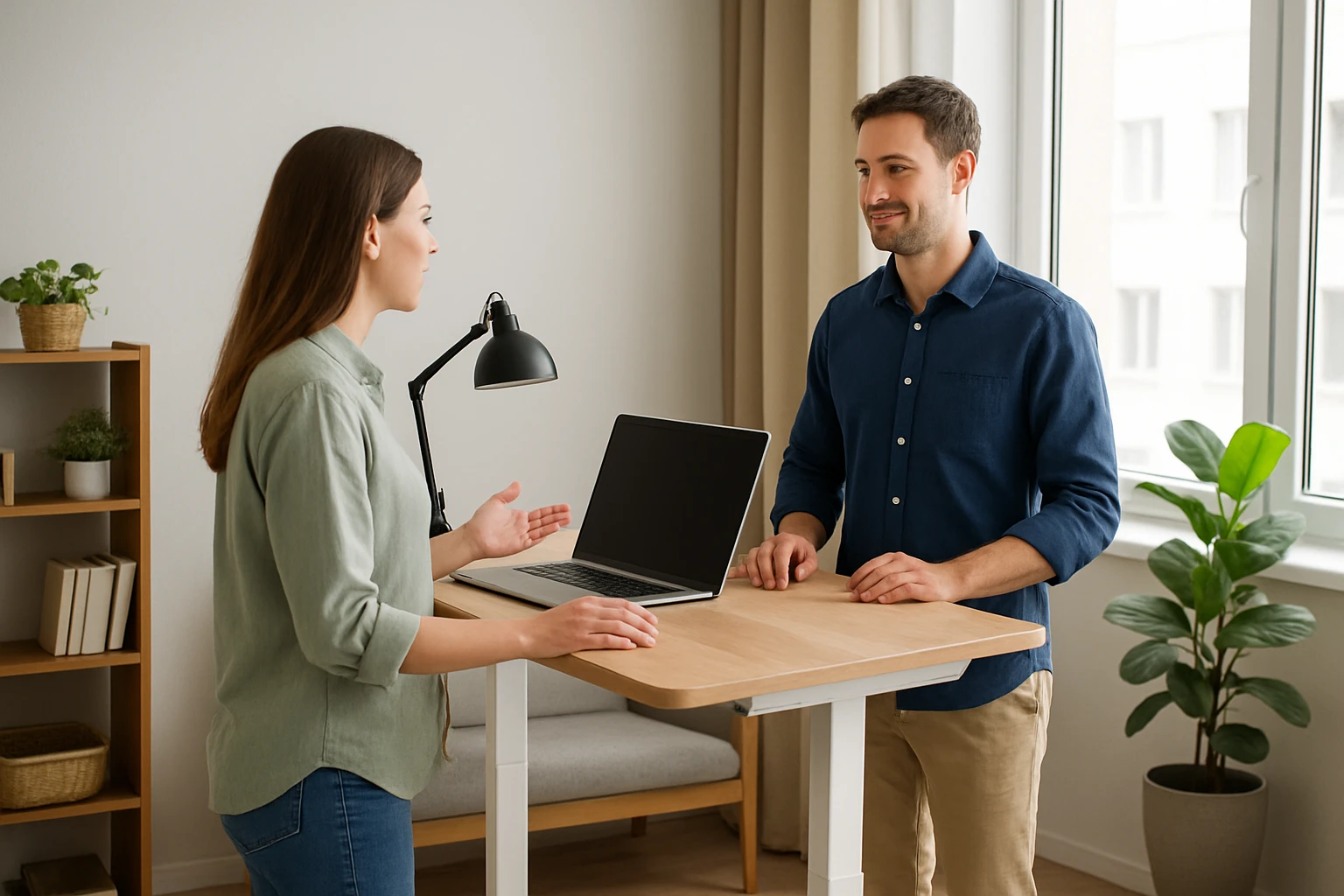
In shared living environments, space is at a premium and collaboration often happens in informal bursts. This guide explains how one can create efficient micro standup meetings using a standing desk, while preserving the communal feel of a co‑living space. Readers will learn how to select the right equipment, arrange the physical layout, and run short, focused meetings that keep teams aligned without sacrificing comfort.
Micro standups last five to fifteen minutes, focus on three questions, and rely on a standing posture to encourage brevity. By following the steps below, one can transform a modest corner into a productive meeting hub that respects both personal ergonomics and shared‑area etiquette.
What You’ll Need
- A standing desk or height‑adjustable workstation
- An anti‑fatigue mat to protect feet and encourage movement
- A laptop or tablet with video‑conference capability
- A portable microphone or headset (optional)
- Basic cleaning supplies
All of the items can be sourced affordably, and the guide highlights two specific mats that excel in co‑living contexts.
Step 1: Choose a Quiet Corner and Define Boundaries
Identify a location that receives natural light but is away from high‑traffic zones such as the kitchen or bathroom. Mark the perimeter with a rug or floor tape to signal to roommates that the area is temporarily reserved for standup meetings. This visual cue reduces interruptions and respects shared‑space norms.
Step 2: Install an Anti‑Fatigue Mat
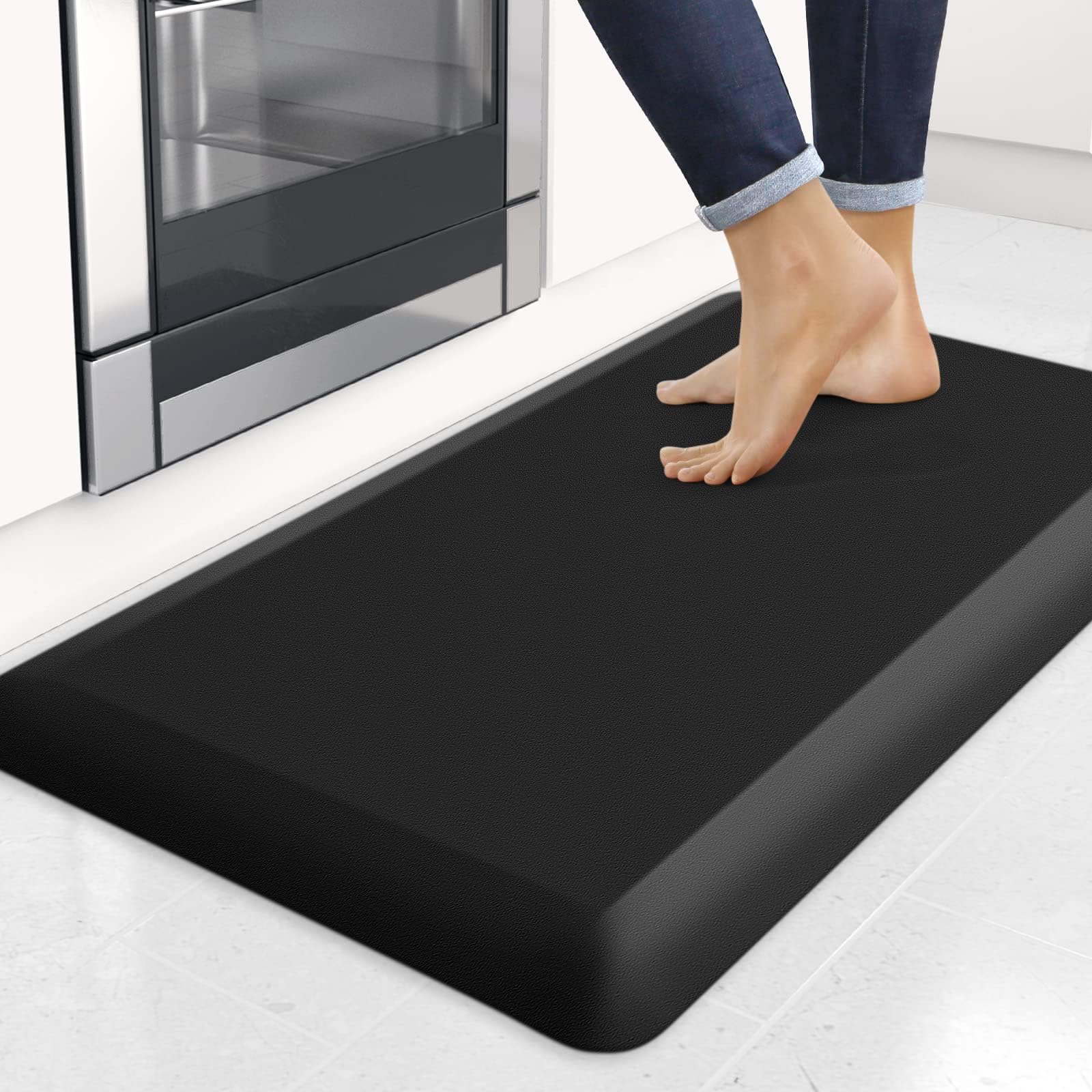
Standing for extended periods on a hard floor can cause knee, ankle, and back fatigue. An anti‑fatigue mat cushions the feet while encouraging subtle micro‑movements that improve circulation. Two mats stand out for co‑living use:
- Topo Mini Standing Desk Mat – This premium mat features a 3‑D calculated terrain that prompts the user to shift weight naturally. It is ultra‑thick, free of PFAs and PVC, and can be repositioned with a single foot, making it ideal for shared rooms where furniture may need to be moved quickly.
- StepRite Black Anti‑Fatigue Kitchen Mat – At $19.93 and a rating of 4.4/5 from over 3,400 reviewers, this thicker (4/5 inch) memory‑foam mat offers excellent cushioning. Its textured bottom prevents slipping on hardwood or tile, and the water‑resistant surface is easy to wipe clean after spills.
Why choose a dedicated mat? Compared with a flat kitchen rug, the Topo Mini provides calculated terrain that subtly nudges the user to move, reducing static fatigue. The StepRite mat, while less specialized, offers a budget‑friendly alternative with robust support and easy maintenance—useful in kitchens that double as meeting spots.
Step 3: Set Up Your Technology
Place a laptop or tablet on the standing desk at eye level using a monitor riser if needed. Connect a reliable Wi‑Fi network and test the video‑conference platform (Zoom, Teams, etc.) before the first meeting. If the space is noisy, a small lap‑mic or headset can isolate the speaker’s voice, ensuring clear communication without disturbing roommates.
Step 4: Establish a Meeting Cadence and Agenda
Micro standups thrive on consistency. Schedule a recurring five‑minute slot at the same time each day, preferably early morning or after lunch when energy levels are high. The agenda should be limited to three questions: What was accomplished yesterday? What will be done today? Are there any blockers?
Communicate the schedule on a shared calendar or a whiteboard in the common area. This transparency helps roommates anticipate brief interruptions and plan their own activities accordingly.
Step 5: Conduct the Standup Efficiently
Begin the meeting with a brief reminder to stay standing; the posture itself discourages rambling. Each participant speaks for no more than one minute, and the facilitator tracks time using a phone timer or a simple kitchen timer. Encourage participants to shift weight on the mat, using the Topo Mini’s terrain or the StepRite’s cushioning to stay comfortable.
After the meeting, quickly tidy the area: fold any chairs, store cables, and wipe the mat if needed. This habit maintains a clean shared environment and signals respect for co‑living etiquette.
Tips & Pro Tips
- Rotate the mat: Both recommended mats can be slid out with a heel or toe motion, allowing you to reposition the standing desk without lifting heavy furniture.
- Use a portable whiteboard: A small magnetic board can be placed on the desk for quick visual notes, then stored in a drawer after the standup.
- Mind the noise level: Keep voices at a moderate volume and mute microphones when not speaking to avoid disturbing roommates.
- Leverage natural light: Position the desk near a window to reduce eye strain and create an inviting atmosphere.
- Warm‑up briefly: A few ankle circles or calf stretches before the standup can further reduce fatigue, especially on harder flooring.
Troubleshooting
Problem: Feet feel sore after several meetings.
Solution: Switch to the thicker StepRite mat for added cushioning, or add a thin gel insert on top of the Topo Mini for extra support.
Problem: The mat slides on polished wood.
Solution: Place a non‑slip rug pad underneath the mat; both products already feature textured undersides, but an additional pad enhances grip.
Problem: Meetings run longer than intended.
Solution: Use a visible timer and assign a time‑keeper role to enforce the five‑minute limit.
Conclusion
By selecting an appropriate anti‑fatigue mat, arranging ergonomic technology, and adhering to a concise agenda, one can run effective micro standup meetings in any co‑living space. The Topo Mini Standing Desk Mat offers premium comfort and easy repositioning, while the StepRite Black Anti‑Fatigue Kitchen Mat provides an affordable, durable alternative. Implement these steps, respect shared‑area norms, and enjoy the productivity boost that brief, standing meetings deliver.
Products Mentioned in This Guide
Frequently Asked Questions
What is a micro standup meeting and how long should it last?
A micro standup is a brief, daily sync lasting 5‑15 minutes that focuses on three key updates.
How can I set up a standing desk for micro standups in a co‑living space?
Place a height‑adjustable desk in a low‑traffic corner, add an anti‑fatigue mat, and ensure power and Wi‑Fi access are nearby.
What equipment is essential for effective micro standup meetings?
A standing desk, anti‑fatigue mat, laptop or tablet with video‑call capability, and optionally a headset or portable mic.
How do I keep micro standup meetings brief and focused?
Stick to the three standard questions, set a timer, and discourage side conversations or deep dives.
How can I maintain ergonomics and comfort while standing during meetings?
Adjust the desk to elbow height, use an anti‑fatigue mat, shift weight regularly, and take short stretches between sessions.
