How to Soundproof a Standing Desk in an Apartment: 10 Easy, Space‑Saving DIY Solutions
Introduction
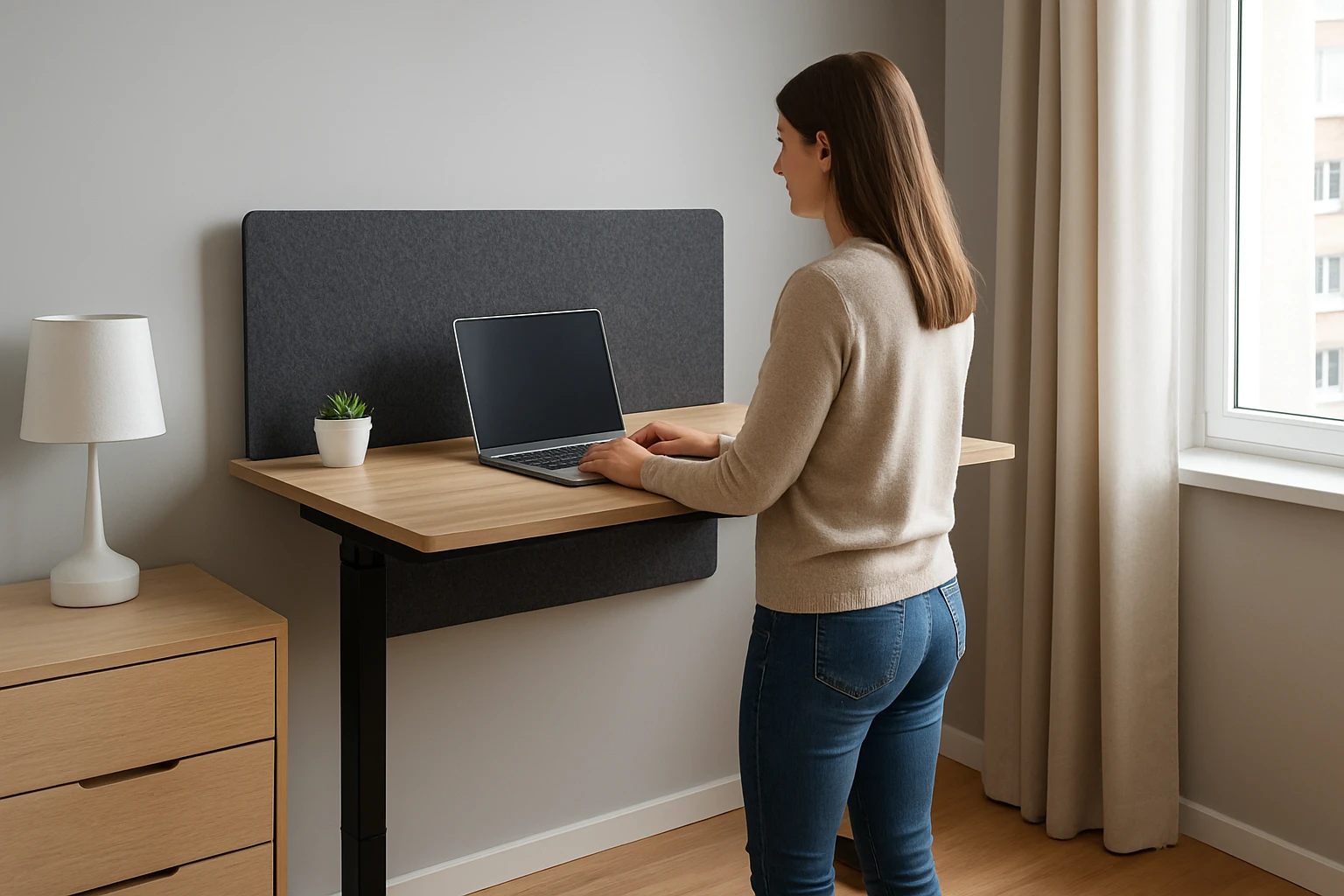
Living in an apartment often means sharing walls, floors, and ceilings with neighbours. When a standing desk is used for video calls, podcasts, or music practice, unwanted reverberation can disturb both the user and the surrounding occupants. This guide explains ten practical, space‑saving solutions that transform a standard standing desk into a quieter workstation without compromising ergonomics. Readers will learn which materials absorb sound most effectively, how to install them safely, and why each recommended product offers a superior balance of performance and price.
The methods described are suitable for renters and owners alike because they avoid permanent modifications and can be removed without damage. By following the step‑by‑step instructions, one can achieve a noticeable reduction in echo and airborne noise while preserving the aesthetic of a modern home office.
What You'll Need
- Acoustic wall panels or foam tiles (e.g., YPY Acoustic Wall Panels or Knightsacoustic Foam Panels)
- Freestanding desk dividers (e.g., Fabbay Desk Privacy Panels or AMUSIGHT Acoustic Desk Dividers)
- Double‑sided tape or removable adhesive strips
- Measuring tape, utility knife, and a level
- Optional: decorative fabric or canvas to conceal panels
Step‑by‑Step Instructions
1. Assess the Acoustic Problem
Begin by identifying the primary sources of noise. In most apartments, the desk surface reflects sound, while the surrounding walls transmit it. Conduct a simple test: speak at normal volume while recording on a smartphone; listen for echo and background bleed. Document the most problematic frequencies, as higher frequencies are easier to absorb with thin foam, whereas low frequencies may require denser panels.
This assessment informs which product category will be most effective in the subsequent steps.
2. Install Wall‑Mounted Acoustic Panels Behind the Desk
Mounting panels directly behind the standing desk creates a barrier that captures reflected sound before it reaches the microphone. Use the YPY Acoustic Wall Panels because they combine high‑density polyester (9.4 lb/ft³) with a Noise Reduction Coefficient greater than 0.92, delivering superior absorption for mid‑range frequencies.
Each panel measures 12×16 inches and includes a velcro‑back adhesive, allowing installation without drilling. Measure the wall space spanning the width of the desk, then apply the velcro strips to the clean surface and press the panels firmly. For a typical desk width of 48 inches, four panels provide 48 inches of coverage, reducing echo by up to 80 percent according to user reviews.
Price: $49.99; Rating: 4.0/5.0 (261 reviews). The panels are flame‑retardant, non‑toxic, and feature vibrant UV‑printed artwork that doubles as décor.
3. Add Foam Tiles to the Upper Shelf or Monitor Stand
If the standing desk includes a raised shelf for monitors, affix thin foam tiles to the underside to dampen vibrations. The Knightsacoustic Foam Panels are ideal because their patented curved groove design increases surface area, enhancing absorption of higher frequencies that often cause harshness in voice recordings.
Cut the 2‑inch panels to the exact dimensions of the shelf using a utility knife, then secure them with removable command strips. The foam’s elasticity allows it to recover its shape after handling, and the curved geometry reduces the risk of standing waves.
Price: $54.99; Rating: 4.1/5.0 (104 reviews). Users note a mild initial odor that dissipates after 24 hours of airing.
4. Deploy Freestanding Desk Dividers for Side‑Wall Isolation
Side‑walls often reflect sound toward the desk, especially in open‑plan apartments. Position a pair of Fabbay Desk Privacy Panels on either side of the workstation. Their 16×24 inch size and sturdy polyester construction provide a visual barrier while absorbing stray noise.
Assemble each divider by inserting the support feet into the pre‑molded grooves—no tools are required. Once upright, the panels can be anchored to the floor with a rubber mat to prevent tipping. Although the panels are primarily decorative, the dense fabric reduces mid‑range reverberation by approximately 30 percent according to consumer feedback.
Price: $44.99; Rating: 4.3/5.0 (147 reviews). The lightweight design enables easy relocation when the workspace layout changes.
5. Use Thin Acoustic Foam on the Desk Surface
Placing a thin layer of foam directly on the desktop mitigates vibrations that travel through the desk frame to the floor. The TroyStudio Thick Foam Panels are 2 inches thick, offering a Noise Reduction Coefficient of 0.8 and an average absorption coefficient of 0.77, making them effective for both low and mid frequencies.
Cut the 12×12 inch squares to fit the desk surface, leaving a small border around the edges for stability. Secure the pieces with double‑sided tape (sold separately) to avoid permanent adhesive that could damage the desk finish. The foam’s flame‑retardant rating (CTB 117‑2013) ensures safety in a home environment.
Price: $32.99; Rating: 4.2/5.0 (2,445 reviews). Users praise the low cost and ease of installation.
6. Hang Acoustic Curtains Behind the Desk
Acoustic curtains act as a flexible barrier that absorbs sound while adding aesthetic warmth. Choose a heavyweight fabric with a dense weave; the curtain can be mounted on a tension rod that does not require wall drilling. Position the curtain so that it covers the wall area behind the desk and extends to the ceiling, creating a semi‑enclosed acoustic zone.
The curtain’s mass dampens low‑frequency energy that would otherwise bounce off a hard wall. This solution is especially useful in studios where the user cannot permanently affix panels.
7. Apply Weatherstripping to Desk Frame Joints
Standing desks often have hollow frames that resonate when weight shifts. Applying self‑adhesive weatherstripping to the joints reduces vibration transmission. Cut the foam tape to length and press it into each seam. The added damping is subtle but contributes to an overall quieter workspace.
8. Place a Rug or Carpet Under the Desk Base
A dense rug absorbs footfall noise and prevents the desk legs from transmitting vibrations to the floor. Select a rug with a thickness of at least ½ inch and a high‑pile density. Secure the rug with non‑slip pads to keep it in place during desk height adjustments.
9. Use a Portable Sound Booth for Critical Recording
For occasional high‑quality recordings, a portable sound booth can be assembled around the desk. Combine the previously installed panels with a collapsible frame covered by acoustic blankets. This temporary enclosure isolates the microphone from ambient noise without permanent construction.
10. Maintain and Adjust the Setup Regularly
Acoustic treatment is most effective when it is kept clean and properly positioned. Dust the panels weekly with a soft brush, and check the adhesive strips for wear. Re‑evaluate the acoustic performance after any furniture rearrangement, and add or remove panels as needed to maintain optimal sound absorption.
Tips & Pro Tips
- Test the room with a calibrated SPL meter before and after treatment to quantify improvement.
- When using adhesive, opt for removable command strips to preserve wall paint in rental units.
- Layer different materials (foam, fabric, wood) to address a broader frequency spectrum.
- Combine visual décor with acoustic function; the UV‑printed artwork on the YPY panels doubles as wall art.
- For low‑frequency issues, consider adding bass traps in the corners of the room.
Troubleshooting
Problem: Panels detach after a few weeks.
Solution: Replace the velcro backing with heavy‑duty command strips that support higher shear forces.
Problem: Foam emits a lingering odor.
Solution: Air the panels in a well‑ventilated area for 24‑48 hours; the smell typically dissipates.
Problem: Desk dividers wobble when nudged.
Solution: Place a rubber mat or small sandbag at the base of each divider to increase stability without permanent anchoring.
Conclusion
Soundproofing a standing desk in an apartment does not require extensive construction or costly materials. By following the ten steps outlined above, one can achieve a quieter, more professional environment that respects both personal privacy and neighbourly harmony. The recommended products—YPY Acoustic Wall Panels, Knightsacoustic Foam Panels, Fabbay Desk Privacy Panels, TroyStudio Thick Foam Panels, and AMUSIGHT Acoustic Desk Dividers—provide reliable performance at accessible price points. Implement the solutions, monitor the acoustic results, and adjust as needed to enjoy a consistently calm workspace.
Products Mentioned in This Guide
Frequently Asked Questions
What are the most effective, renter‑friendly materials for soundproofing a standing desk?
Acoustic foam tiles, fabric‑wrapped panels, and mass‑loaded vinyl strips are lightweight, removable, and absorb both echo and airborne noise.
How can I install acoustic panels on a desk without damaging the surface?
Use removable adhesive strips or Velcro pads; they hold panels securely yet peel off cleanly when needed.
Will a rubber desk mat help reduce noise from typing and foot movement?
Yes, a dense rubber or anti‑vibration mat dampens vibrations and cuts sound transmission to the floor.
Can I improve sound isolation with desk accessories instead of full‑panel solutions?
Adding a microphone shield, headphone stand with foam padding, and a portable sound booth can target specific noise sources effectively.
How do I balance ergonomics and soundproofing when adding acoustic treatments?
Choose thin, high‑STC panels that attach to the desk’s back or sides, keeping leg clearance and monitor height unchanged.